
ComfyUI Extension: ComfyUI_FishSpeech_EX
Run ComfyUI workflows without the setup
No installs, no CUDA version roulette, no GPU sitting idle on your bill. Bring a workflow and run it in the browser.
This plugin is optimized for Fish-Speech-1.5 version and is only applicable to version 1.5
Looking for a different extension?
Custom Nodes (5)
README
ComfyUI_FishSpeech_EX
This plugin is optimized for Fish-Speech-1.5 version and is only applicable to version 1.5:
- The plugin references the ComfyUI-fish-speech plugin for optimization, and modifies the overall configuration address and installation method.
- The required Python libraries for the plugin have been improved, mainly vector-quantize-pytorch. If this library is not installed, the audio quality will be poor.
This problem has been bothering me for a few days, and I searched the entire FishSpeech plugin to find the sampling step issue. If this problem has also been bothering you, please give it a like, thank you!
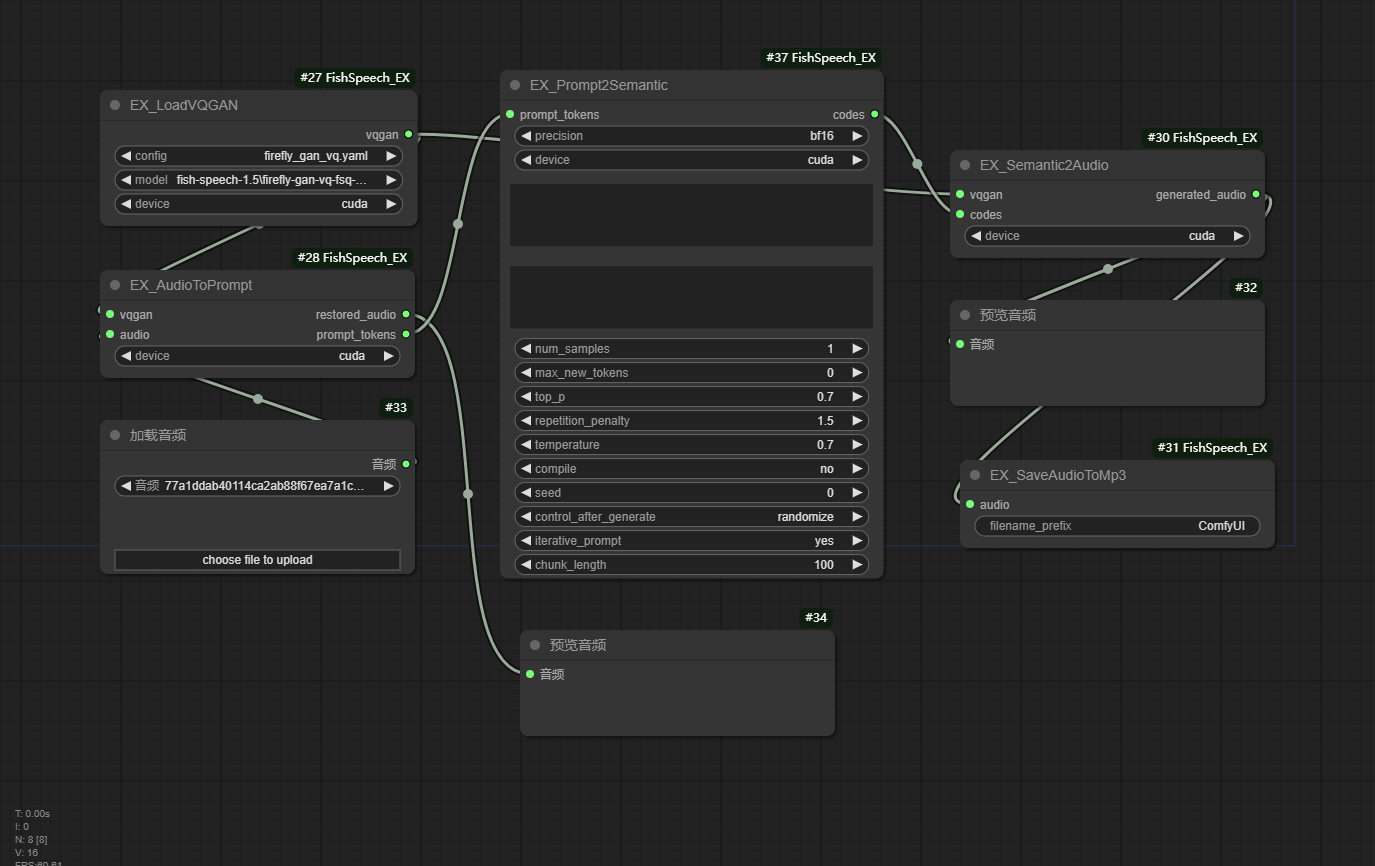
Specific nodes:
- EX_AudioToPrompt
- audio: ComfyUI audio.
- vqgan: VQGAN model.
- restored_audio: Decoded audio.
- prompt_tokens: Tokens corresponding to the prompt audio.
- EX_Prompt2Semantic
- prompt_tokens: The token corresponding to the input prompt audio.
- codes: The generated audio Code.
-
EX_LoadVQGAN Load the VQGAN model, input the model path, and output the model.
-
EX_Semantic2Image Analyze audio Code, output corresponding audio.
-
EX_SaveAudioToMp3 Save the audio to an MP3 file.
Work flow
Reference materials
- AnyaCoder/ComfyUI-fish-speech - Official Implementaion
- fishaudio/fish-speech - SOTA Open Source TTS.
Run ComfyUI workflows without the setup
No installs, no CUDA version roulette, no GPU sitting idle on your bill. Bring a workflow and run it in the browser.