
ComfyUI Extension: ComfyUI-Redux-Prompt
Run ComfyUI workflows without the setup
No installs, no CUDA version roulette, no GPU sitting idle on your bill. Bring a workflow and run it in the browser.
A ComfyUI custom node that provides fine-grained control over style transfer using Redux style models.
README
Redux Style with Prompt Control
A ComfyUI custom node that provides fine-grained control over style transfer using Redux style models.
一个 ComfyUI 自定义节点,提供使用 Redux 风格模型进行精细风格迁移控制。
https://github.com/user-attachments/assets/d6cf3b71-0221-4804-a757-e43feab0850f
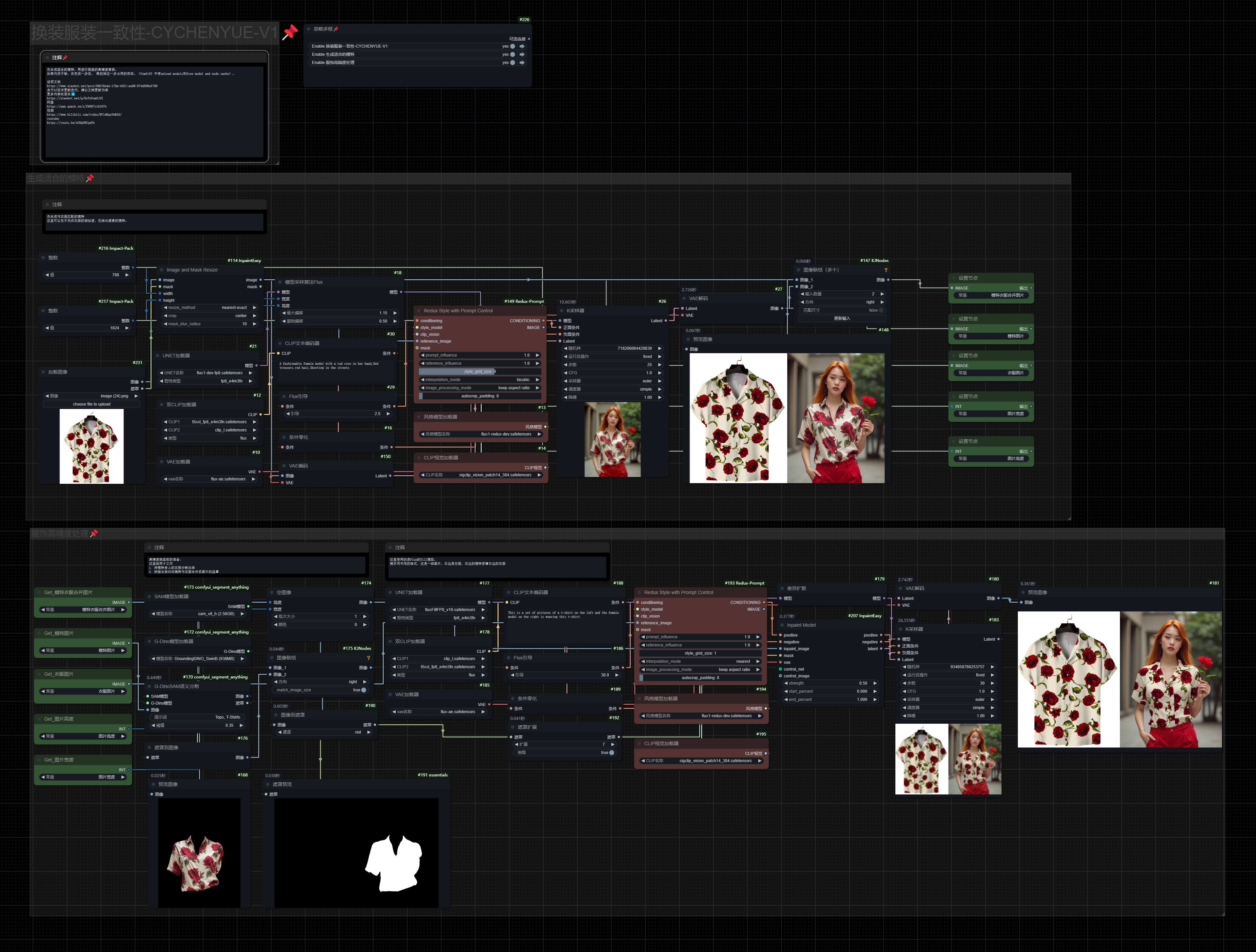
Features / 功能特点
- Combine text prompts with reference image styles
- Adjustable influence for both prompts and reference images
- Flexible style detail control (27×27 to 1×1 grid)
- Flexible image processing modes
- Support for masked regions
- Multiple interpolation methods
- 结合文本提示词和参考图像风格
- 可调节的提示词和参考图像影响力
- 灵活的风格细节控制(27×27 到 1×1 网格)
- 灵活的图像处理模式
- 支持蒙版区域
- 多种插值方法
Parameters / 参数说明
Required Inputs / 必需输入
conditioning: Original prompt input / 原始提示词输入style_model: Redux style model / Redux 风格模型clip_vision: CLIP vision encoder / CLIP 视觉编码器reference_image: Style source image / 风格来源图像prompt_influence: Prompt strength (1.0=normal) / 提示词强度 (1.0=正常)reference_influence: Image influence (1.0=normal) / 图像影响 (1.0=正常)style_grid_size: Style detail level (1=27×27 strongest, 14=1×1 weakest) / 风格细节等级 (1=27×27最强, 14=1×1最弱)interpolation_mode: Token interpolation method / Token插值方法image_processing_mode: Image processing mode / 图像处理模式center crop: Square center crop / 正方形中心裁剪keep aspect ratio: Maintain original ratio / 保持原始比例autocrop with mask: Automatic crop using mask / 使用蒙版自动裁剪
Optional Inputs / 可选输入
mask: Optional mask for local control / 用于局部控制的可选蒙版autocrop_padding: Padding pixels for autocrop (0-256) / 自动裁剪的边距像素 (0-256)
Installation / 安装
Method 1: Install via ComfyUI Manager (Recommended)
方法一:通过 ComfyUI Manager 安装(推荐)
-
Install ComfyUI Manager if you haven't 如果还没有安装 ComfyUI Manager,请先安装
-
Open ComfyUI, go to Manager tab 打开 ComfyUI,进入 Manager 标签页
-
Search for "Redux Prompt" and install 搜索 "Redux Prompt" 并安装
Method 2: Manual Installation
方法二:手动安装
-
Clone this repository to your ComfyUI custom nodes directory: 将此仓库克隆到你的 ComfyUI 自定义节点目录:
cd ComfyUI/custom_nodes git clone https://github.com/CY-CHENYUE/ComfyUI-Redux-Prompt.git -
Restart ComfyUI 重启 ComfyUI
Usage Example / 使用示例
-
Add the "Redux Style with Prompt Control" node to your workflow 将 "Redux Style with Prompt Control" 节点添加到你的工作流程中
-
Connect required inputs: 连接必需的输入:
- Text prompt conditioning
- Redux style model
- CLIP Vision model
- Reference image
-
Adjust parameters as needed: 根据需要调整参数:
- Set style grid size (1-14) for desired detail level
- Adjust prompt and reference influence
- Choose appropriate interpolation mode
- Select image processing mode
-
Connect the output to your image generation pipeline 将输出连接到你的图像生成管线
Notes / 注意事项
- Higher
prompt_influencevalues will emphasize the text prompt 较高的prompt_influence值会强调文本提示词 - Higher
reference_influencevalues will emphasize the reference image style 较高的reference_influence值会强调参考图像风格 - Lower style grid size values (closer to 1) provide stronger, more detailed style transfer 较低的风格网格值(接近1)提供更强、更详细的风格迁移
- Higher style grid size values (closer to 14) provide lighter, more general style transfer 较高的风格网格值(接近14)提供更轻微、更概括的风格迁移
- Different interpolation modes can affect the style transfer quality 不同的插值模式会影响风格迁移的质量
- Mask input is only used when
autocrop with maskmode is selected 蒙版输入仅在选择autocrop with mask模式时使用
Run ComfyUI workflows without the setup
No installs, no CUDA version roulette, no GPU sitting idle on your bill. Bring a workflow and run it in the browser.