
ComfyUI Extension: comfyui-mpc-heartmula
Run ComfyUI workflows without the setup
No installs, no CUDA version roulette, no GPU sitting idle on your bill. Bring a workflow and run it in the browser.
ComfyUI custom nodes for HeartMuLa music generation
Looking for a different extension?
Custom Nodes (5)
README
ComfyUI-MPC-HeartMuLa
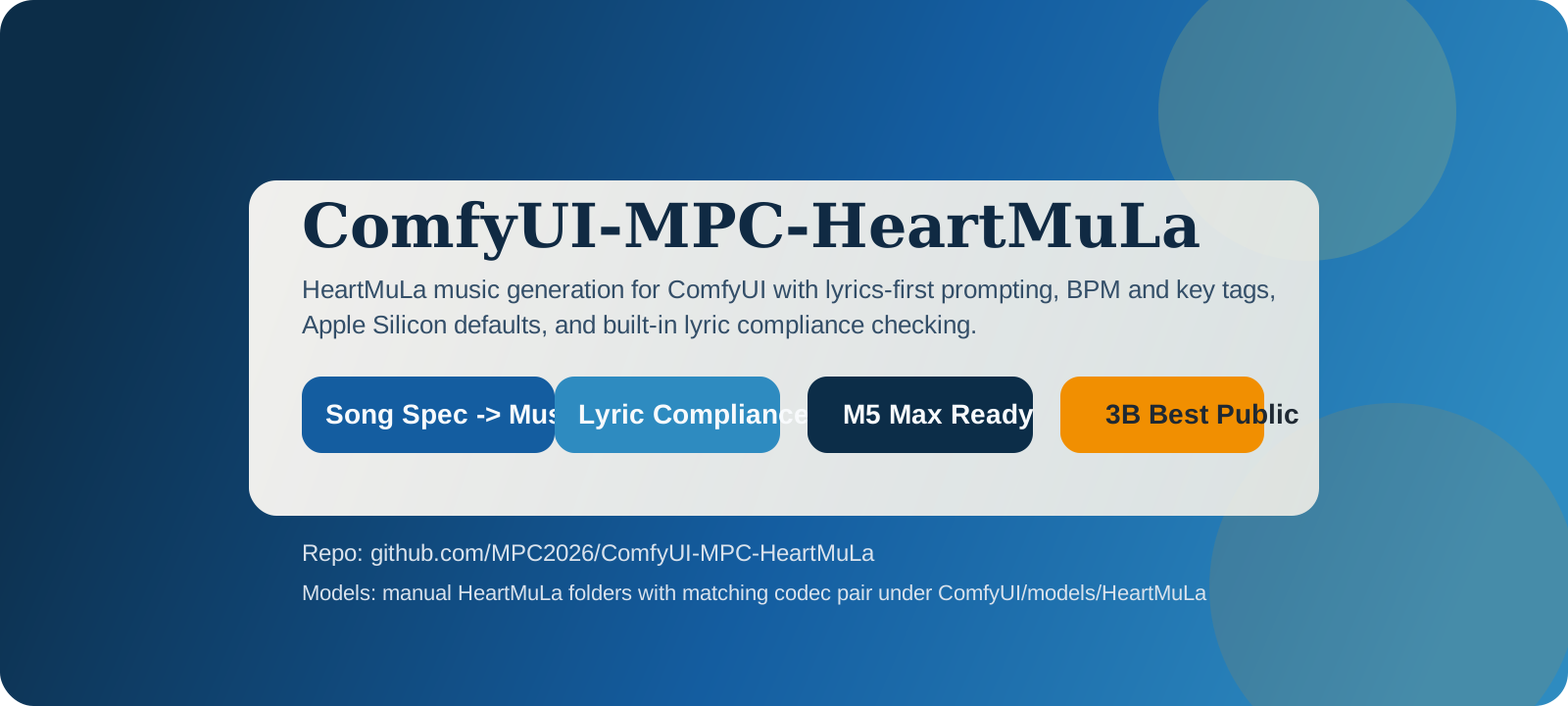
ComfyUI custom nodes for HeartMuLa music generation with a workflow surface built around the controls you asked for: tags, BPM, song key, duration, lyrics, optional outro or tag ending, and lyric compliance checking after generation.
What this package does
- Uses the official
heartlibpipeline API at runtime. This repo does not try to replace HeartMuLa's runtime with a separate custom inference stack. - Ships a pinned local copy of
heartlibinside this repository, so runtime startup does not need to fetchheartlibfrom the network. - Prefers local HeartMuLa model folders in
ComfyUI/models/HeartMuLa, matching the manual setup style used by other HeartMuLa ComfyUI integrations. - Keeps the on-disk layout in official HeartMuLa names such as
HeartMuLa-oss-3B,HeartCodec-oss,HeartMuLa-RL-oss-3B-20260123,gen_config.json, andtokenizer.json. - Auto-detects the best compatible generation pair it finds:
HeartMuLa-RL-oss-3B-20260123+HeartCodec-oss-20260123HeartMuLa-oss-3B-happy-new-year+HeartCodec-oss-20260123HeartMuLa-oss-3B+HeartCodec-oss
- Targets Apple Silicon well by default.
autouses the recommendedheartlibsplit-device path: HeartMuLa on MPS, HeartCodec on CPU.- If that fails, it falls back to CPU-only.
apple_silicon_fastis still available as a manual all-MPS override, but it is no longer the default path.
- Saves lossless
.wavoutput in the ComfyUI output folder. - Leaves
auto_download_modelsavailable as a fallback, but defaults it off so the node pack uses your manually downloaded HeartMuLa folders first.
Format choice
This repo follows heartlib for runtime behavior and pipeline semantics.
It follows official HeartMuLa naming for the checkpoint folders on disk.
That means:
- runtime API:
heartlib heartlibsource: vendored locally in_vendor/heartlib-main/src/heartlib- pinned upstream revision:
3783bdb8441f2c298b1e64c8651173aac200361c - model root:
ComfyUI/models/HeartMuLa - folder names: official HeartMuLa folder names inside that root
- Apple Silicon default: MPS for the HeartMuLa model, CPU for HeartCodec, then CPU-only fallback
Self-contained runtime
This repo now includes a vendored copy of heartlib under _vendor/heartlib-main/src/heartlib.
That vendored copy is pinned to upstream HeartMuLa/heartlib commit 3783bdb8441f2c298b1e64c8651173aac200361c.
The runtime no longer downloads heartlib on first use. If the vendored copy is missing, startup fails with an explicit local-repo error instead of silently fetching code from the internet.
Truly offline install
Extension Manager is not the offline path because it still needs network access to fetch the repository.
For a no-network install on the target machine, use the local bundle workflow included in this repo:
- On a connected machine, populate
_offline/wheels/with Python wheels by running./scripts/build_offline_bundle.sh --python /path/to/comfyui/python. - If you already have a working local HeartMuLa model root, add
--model-root /path/to/ComfyUI/models/HeartMuLaso the same command copies it into_offline/models/HeartMuLa/. - Move the whole repo folder to the offline machine by USB, AirDrop, LAN copy, or any other local transfer.
- Put the repo in
ComfyUI/custom_nodes/ComfyUI-MPC-HeartMuLaon the offline machine. - Run
./scripts/install_offline.sh --python /path/to/comfyui/python --comfyui-root /path/to/ComfyUI. - Keep
auto_download_modelsoff. The offline installer writes_offline/STRICT_OFFLINE, and runtime will reject network fallback paths on purpose.
The offline bundle layout is documented in _offline/README.md.
Quick Start
- Install from the ComfyUI Extension Manager, clone into
custom_nodes, or move in a prepared offline bundle. - Install Python requirements with the same Python that launches ComfyUI, or run
./scripts/install_offline.shif you prepared_offline/wheels/. - Put the HeartMuLa model folders in
ComfyUI/models/HeartMuLa, or let./scripts/install_offline.shcopy a prepared_offline/models/HeartMuLa/bundle. - Import
workflows/heartmula_simple_song_workflow.json. - Edit the lyrics, tags, BPM, song key, and duration inside
HeartMuLa Song Spec. - Run the workflow.
- Review the generated
.wavand the lyric compliance report.
Important note on model size
HeartMuLa mentions an internal 7B model, but the open-source 7B checkpoint is not released yet. The largest public option today is the 3B line. This node pack supports the released 3B folders listed above and prefers the RL 20260123 pair when it is present locally.
Installation
Extension Manager
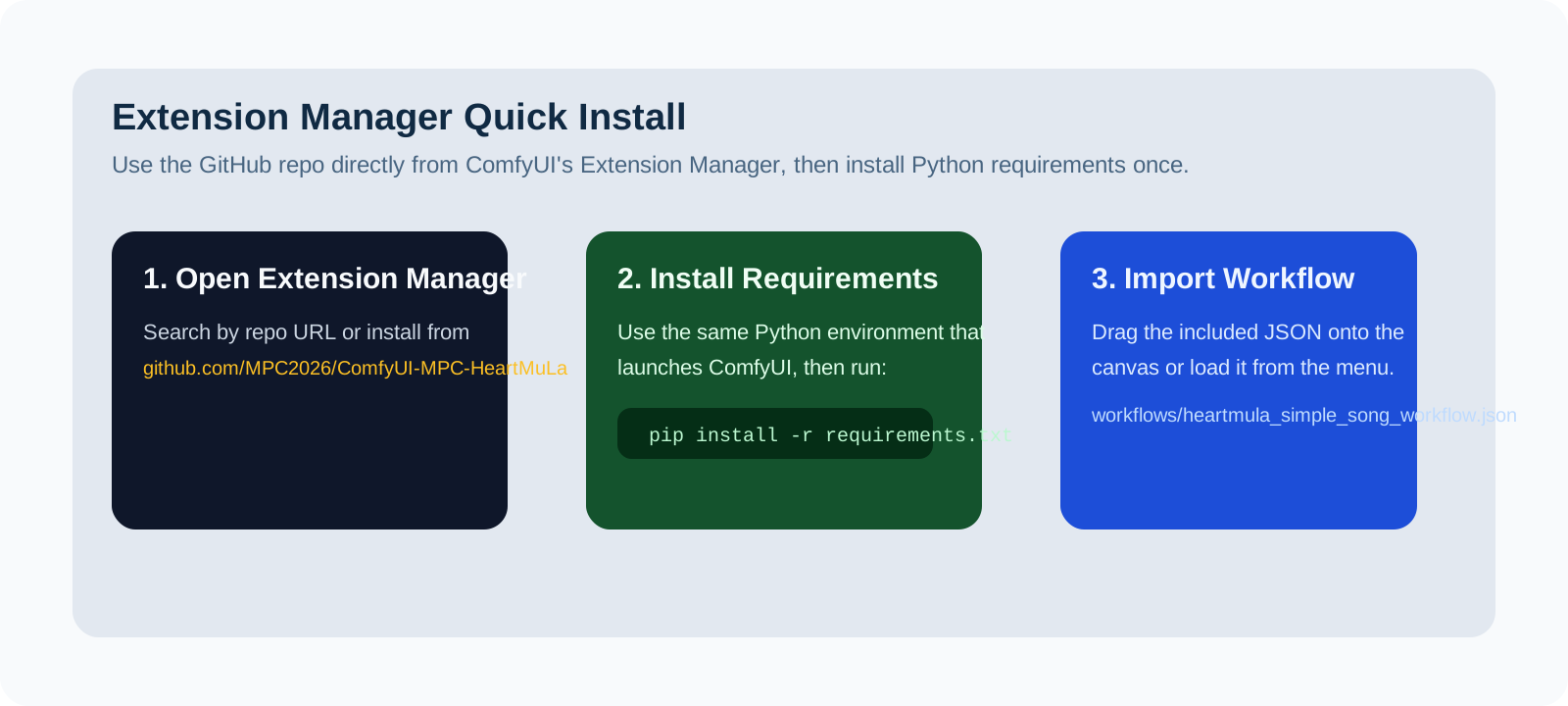
Once this repository is pushed to GitHub, install it from the ComfyUI Extension Manager by repository URL:
https://github.com/MPC2026/ComfyUI-MPC-HeartMuLa.git
The node pack already has the standard custom-node entrypoints and a requirements.txt for dependency installation.
Extension Manager path:
- Open ComfyUI.
- Open
Manager. - Open
Custom NodesorInstall via Git URL, depending on your manager version. - Paste
https://github.com/MPC2026/ComfyUI-MPC-HeartMuLa.git. - Install the node.
- Restart ComfyUI.
- Install Python requirements if your manager did not do it automatically.
Simple custom node install
- Close ComfyUI.
- Open a terminal and go to your ComfyUI folder.
- Go into
custom_nodes. - Clone this repo so the final folder is
ComfyUI/custom_nodes/ComfyUI-MPC-HeartMuLa. - Activate the exact Python environment you use to start ComfyUI.
- From this node folder, run
pip install -r requirements.txt. - Start ComfyUI again.
- Search for
HeartMuLain the node picker.
Example:
cd /path/to/ComfyUI/custom_nodes
git clone https://github.com/MPC2026/ComfyUI-MPC-HeartMuLa.git
cd ComfyUI-MPC-HeartMuLa
python -m pip install -r requirements.txt
If your ComfyUI launcher uses a bundled Python, use that Python for the install command instead of system pip.
If you already have other AI packages in the same environment, always prefer python -m pip from the exact ComfyUI interpreter. That avoids downgrading unrelated packages from a different Python environment.
Offline custom node install
- On a connected machine, run
./scripts/build_offline_bundle.sh --python /path/to/comfyui/python --model-root /path/to/ComfyUI/models/HeartMuLa. - Move this whole repo folder to the offline machine.
- Put it in
ComfyUI/custom_nodes/ComfyUI-MPC-HeartMuLa. - Run
./scripts/install_offline.sh --python /path/to/comfyui/python --comfyui-root /path/to/ComfyUI. - Restart ComfyUI and keep
auto_download_modelsdisabled.
If your ComfyUI Python does not already include torch, rebuild the offline bundle with --include-torch. The bundle script will also try to capture the matching torchaudio wheel from that same Python environment.
Import the included workflow
- Start ComfyUI after installing the node.
- Drag
workflows/heartmula_simple_song_workflow.jsononto the canvas. - Or use the workflow load/import menu and select that file.
- Use the updated workflow file if you imported an older version before. The current JSON avoids custom spec links so labels import cleanly on more ComfyUI frontends.
First run
- Follow the manual model setup below.
- Import the included workflow or add the three standard nodes manually.
- Leave
auto_download_modelsoff unless you explicitly want the fallback downloader. - Leave
runtime_profileonautofor Apple Silicon. - Run the workflow once.
- Find the generated
.wavin your ComfyUI output folder. - Read the lyric compliance score and report on the final node.
Manual HeartMuLa model setup
Go to your ComfyUI/models folder first, then download the HeartMuLa assets with the Hugging Face CLI.
These commands intentionally keep the official HeartMuLa folder names because the node pack resolves them through the heartlib runtime from a shared ComfyUI/models/HeartMuLa root.
cd /path/to/ComfyUI/models

# 1. HeartMuLaGen
hf download HeartMuLa/HeartMuLaGen --local-dir ./HeartMuLa

# 2. HeartMuLa base model
hf download HeartMuLa/HeartMuLa-oss-3B --local-dir ./HeartMuLa/HeartMuLa-oss-3B

# or RL 20260123 model
hf download HeartMuLa/HeartMuLa-RL-oss-3B-20260123 --local-dir ./HeartMuLa/HeartMuLa-RL-oss-3B-20260123

# 3. HeartCodec
hf download HeartMuLa/HeartCodec-oss --local-dir ./HeartMuLa/HeartCodec-oss

# or the 20260123 codec for the newer RL / 20260123 model family
hf download HeartMuLa/HeartCodec-oss-20260123 --local-dir ./HeartMuLa/HeartCodec-oss-20260123

# 4. HeartTranscriptor
hf download HeartMuLa/HeartTranscriptor-oss --local-dir ./HeartMuLa/HeartTranscriptor-oss
Compatibility note:
- If you download
HeartMuLa-RL-oss-3B-20260123, you must useHeartCodec-oss-20260123. - If you already have
HeartMuLa-oss-3B-happy-new-year, this node pack will also use it automatically whenHeartCodec-oss-20260123is present.
The included workflow defaults to manual model usage. Turn on auto_download_models only if you want the node to fetch the base public pair for you.
For strict offline installs, leave auto_download_models off. The offline installer creates _offline/STRICT_OFFLINE, and runtime will fail fast instead of attempting network downloads.
Nodes
HeartMuLa Song Spec
Builds generation-ready lyrics and comma-separated tags from:
- raw lyrics
- style tags
- BPM
- song key
- duration
- optional outro or tag ending
Outputs:
- formatted lyrics
- effective tags
max_audio_length_ms- metadata JSON
song_specas an optional convenience output
HeartMuLa Generate From Spec
Uses the song_spec output from HeartMuLa Song Spec if you want a custom-type convenience path instead of standard primitive links.
Returns:
AUDIO- saved file path
- metadata JSON
HeartMuLa Generate Music
Runs HeartMuLa generation and returns:
AUDIO- saved file path
- metadata JSON
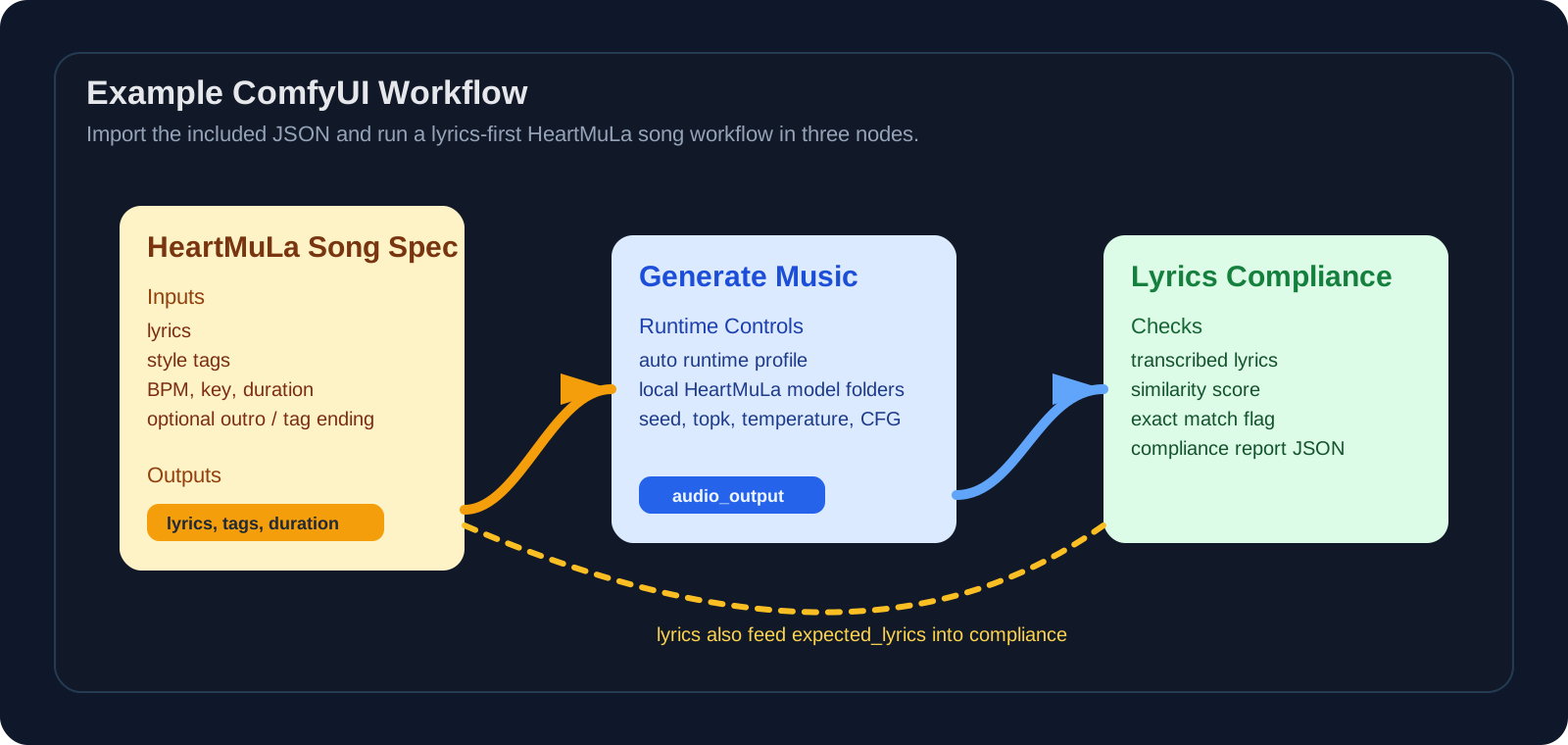
The included workflow uses this node with standard STRING and INT links from HeartMuLa Song Spec.
HeartMuLa Lyrics Compliance
Transcribes generated audio with HeartTranscriptor and compares it against your intended lyrics.
Returns:
- transcribed lyrics
- similarity score
- exact match boolean
- report JSON
The included workflow links expected_lyrics from HeartMuLa Song Spec so the compliance check follows the exact same lyric text used for generation.
HeartMuLa Lyrics Compliance From Spec
Consumes song_spec directly as an optional convenience path.
Recommended simple workflow
HeartMuLa Song Spec -> HeartMuLa Generate Music -> HeartMuLa Lyrics Compliance
Use the included workflow JSON if you want the fastest start. It uses only standard STRING, INT, and AUDIO links so the widget labels import cleanly.
Included example workflow:
workflows/heartmula_simple_song_workflow.json
Apple Silicon defaults
For a 2026 MacBook Pro M5 Max with 128 GB RAM, the defaults are tuned toward quality first without forcing a fragile setup:
runtime_profile = autoautomeans HeartMuLa onmpsand HeartCodec oncpu- CPU-only is the fallback path if MPS is unavailable or fails
keep_model_loaded = truecfg_scale = 1.8.wavoutput
If you want to experiment with an all-MPS path anyway, apple_silicon_fast is still exposed as a manual override rather than the default.
Lyric adherence and prompt behavior
HeartMuLa currently accepts only lyrics and comma-separated tags as conditioning inputs. This package maps BPM and song key into tags and appends an optional [Outro] block when requested.
Two limits come from upstream HeartMuLa itself:
- text is lowercased internally by the official pipeline
- exact lyric reproduction is improved but still model-limited rather than guaranteed
This node pack biases toward lyric clarity by adding clear vocals and lyric forward tags to the generated prompt.
The lyric compliance node helps you measure that gap after generation instead of guessing.
Run ComfyUI workflows without the setup
No installs, no CUDA version roulette, no GPU sitting idle on your bill. Bring a workflow and run it in the browser.