
ComfyUI Extension: ComfyUI-PuLID-Flux-Chroma
Run ComfyUI workflows without the setup
No installs, no CUDA version roulette, no GPU sitting idle on your bill. Bring a workflow and run it in the browser.
The first PuLID (face identity preservation) implementation with full Chroma model support for ComfyUI. Automatically detects and adapts to both FLUX and Chroma models. Fork of PuLID-Flux-Enhanced with comprehensive Chroma compatibility fixes.
Looking for a different extension?
Custom Nodes (4)
README
ComfyUI-PuLID-Flux-Chroma
🎨 The first PuLID implementation with full Chroma model support for ComfyUI!
Face-consistent character generation using PuLID (Pure and Lightning ID) with both FLUX and Chroma models in ComfyUI.
🌟 Key Features
- Full Chroma Compatibility: First working implementation of PuLID with Chroma guidance
- Dual Model Support: Works seamlessly with both standard FLUX and Chroma models
- Automatic Model Detection: Intelligently switches between FLUX and Chroma implementations
- Face Identity Preservation: Maintains consistent character faces across generations
- AMD GPU Optimized: Tested and optimized for AMD RX 6900 XT (16GB VRAM)
🚀 What's New
Chroma Model Support
This fork introduces groundbreaking Chroma model compatibility, allowing you to use PuLID's powerful face identity preservation with Chroma's enhanced detail and artistic capabilities.
Tested with: chroma-unlocked-v35-detail-calibrated_float8_e4m3fn_scaled_stochastic.safetensors
Technical Improvements
- Resolved dtype compatibility issues between BFloat16/Half precision
- Implemented Chroma's custom modulation system
- Fixed missing
time_inattribute in Chroma models - Comprehensive dtype conversion throughout the pipeline
See CHANGELOG.md for detailed technical achievements.
📦 Installation
-
Navigate to your ComfyUI custom nodes directory:
cd ComfyUI/custom_nodes -
Clone this repository:
git clone https://github.com/[your-username]/ComfyUI-PuLID-Flux-Chroma.git -
Install requirements:
cd ComfyUI-PuLID-Flux-Chroma pip install -r requirements.txt -
Download the PuLID model:
- Download
pulid_flux_v0.9.1.safetensors(1.06GB) - Place it in
ComfyUI/models/pulid/
- Download
🎮 Usage
Basic Workflow
- Load your Chroma or FLUX model as usual
- Add the "Apply PuLID Flux" node
- Connect your reference face image(s)
- The node automatically detects and adapts to your model type
Example Workflows
examples/chroma_pulid_basic.json- Basic Chroma + PuLID workflow with clear documentationexamples/chroma_pulid_fashion_showcase.json- Fashion showcase demonstrating face consistency across multiple outfitsexamples/flux_pulid_multi.json- Multi-face FLUX workflow (legacy FLUX support)
🎭 Fashion Showcase Demo
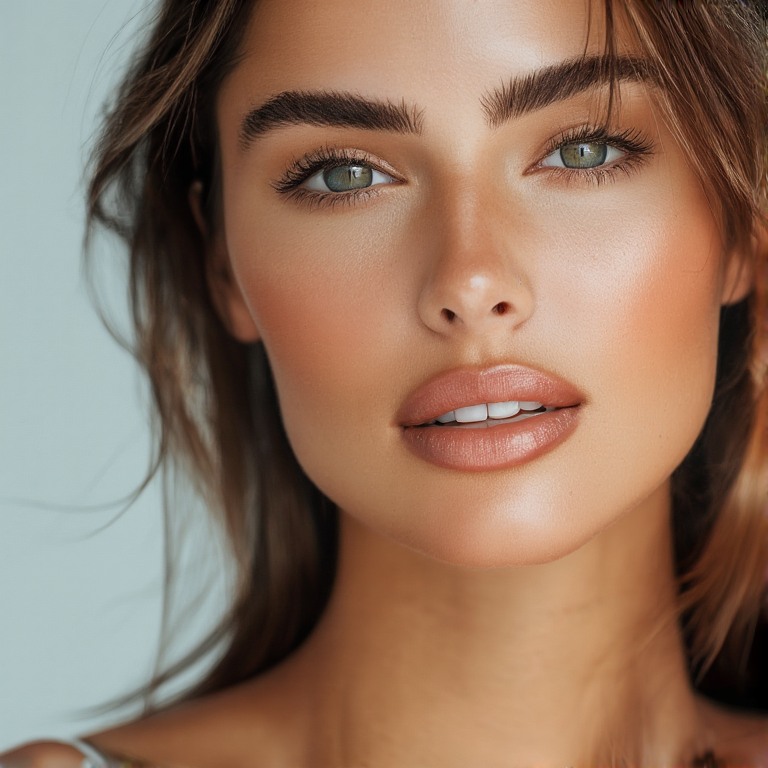
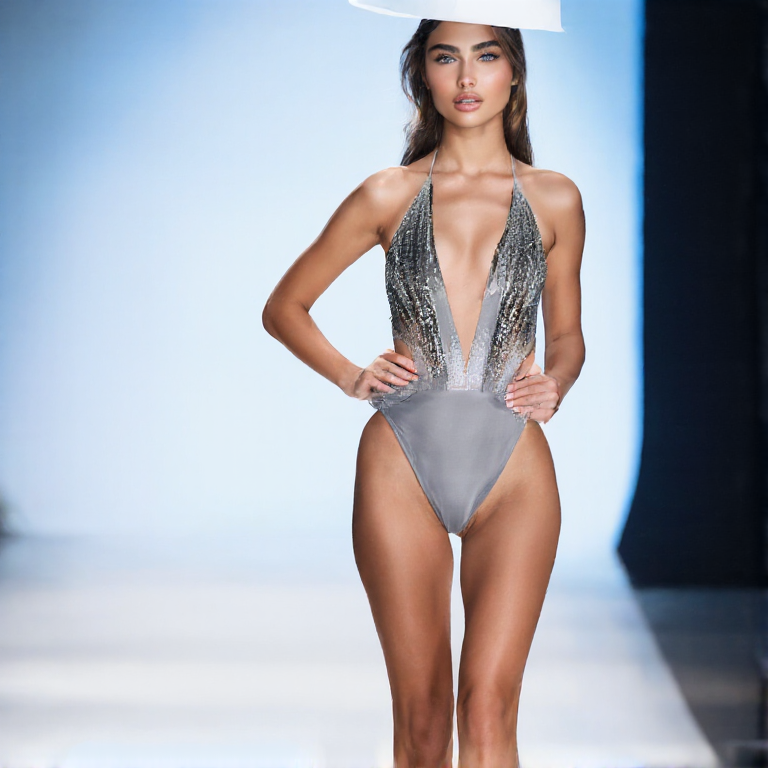
The fashion showcase workflow demonstrates PuLID's remarkable ability to maintain facial identity across completely different scenarios. This three-stage workflow creates:
- Reference Portrait: A neutral, professional headshot generated with Chroma
- Swimsuit Scene: The same face in an elegant swimsuit on a fashion catwalk
- Evening Dress Scene: The same face in a haute couture gown on a fashion catwalk
| Reference Portrait | Swimsuit Scene | Evening Dress Scene |
|:------------------:|:---------------:|:-------------------:|
|  |
|  |
| 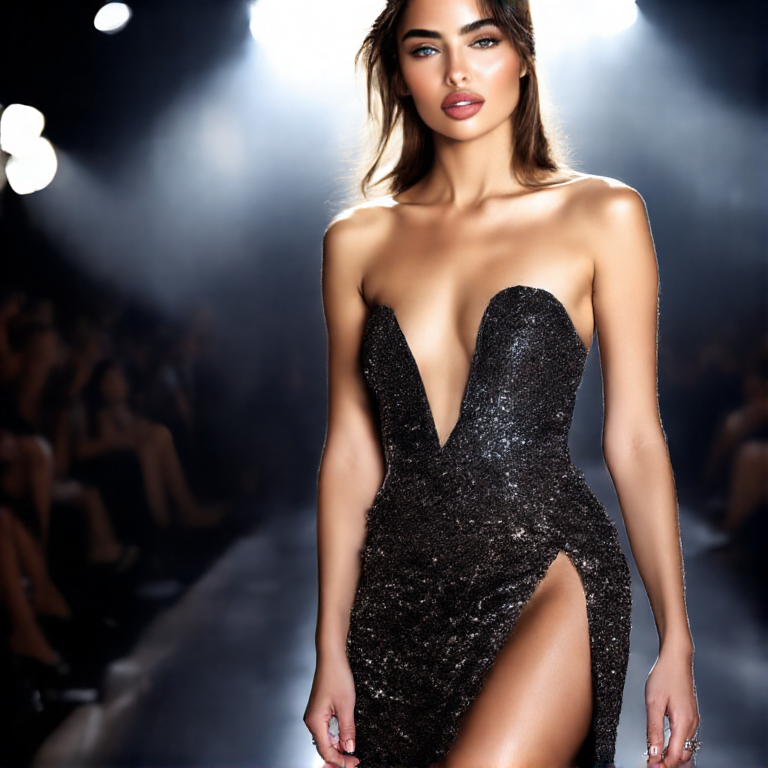 |
| Base face generated with Chroma | Same identity in swimsuit | Same identity in evening wear |
|
| Base face generated with Chroma | Same identity in swimsuit | Same identity in evening wear |
Notice how PuLID preserves the facial features, bone structure, and overall identity while allowing complete freedom in styling, outfit, and pose. This demonstrates the power of combining Chroma's artistic capabilities with PuLID's identity preservation.
Optimal Settings for Chroma
- Resolution: 768x768
- Steps: 26 (Chroma's optimal)
- PuLID weight: 0.9-1.0
- Sampler: Euler Simple or Euler Beta
🔧 Advanced Features
All original PuLID-Flux-Enhanced features are preserved:
Fusion Methods
- mean (official) - Balanced fusion of multiple faces
- concat - Concatenate embeddings
- max/max_token - Emphasize dominant features
- train_weight - Novel fast embedding self-training
Additional Options
- RGB/Gray image toggle
- Prior image support for guided training
- Multi-image input with various fusion strategies
💡 Tips for Best Results
- Image Quality: Use high-quality reference images with clear faces
- Image Size: 1512x1512 reference images work well (avoid 4K+ images)
- PuLID Weight: 0.9-1.0 for v0.9.1 model
- Precision: fp16 recommended, fp8 acceptable, avoid gguf/nf4
🙏 Credits
This project builds upon the excellent work of:
- Original PuLID-Flux implementation by @balazik
- PuLID-Flux-Enhanced by @sipie800
- PuLID paper authors and researchers
Special thanks to the Chroma community for inspiration and testing.
📝 License
This project inherits the original MIT License. See LICENSE for details.
🤝 Contributing
Contributions are welcome! Please feel free to submit issues or pull requests.
⚠️ Note
This is an experimental implementation. While it works reliably with tested models, results may vary with different Chroma variants or custom FLUX fine-tunes.
Run ComfyUI workflows without the setup
No installs, no CUDA version roulette, no GPU sitting idle on your bill. Bring a workflow and run it in the browser.