
ComfyUI Extension: ComfyUI-Sonic
Run ComfyUI workflows without the setup
No installs, no CUDA version roulette, no GPU sitting idle on your bill. Bring a workflow and run it in the browser.
Custom node that takes an audio mp3 and an image, and creates a lip synced video from them.
README
ComfyUI Sonic
Custom node that takes an audio mp3 and an image, and creates a lip synced video from them.
Install ComfyUI Sonic Custom Node
Install the custom node ComfyUI Sonic using the manager,
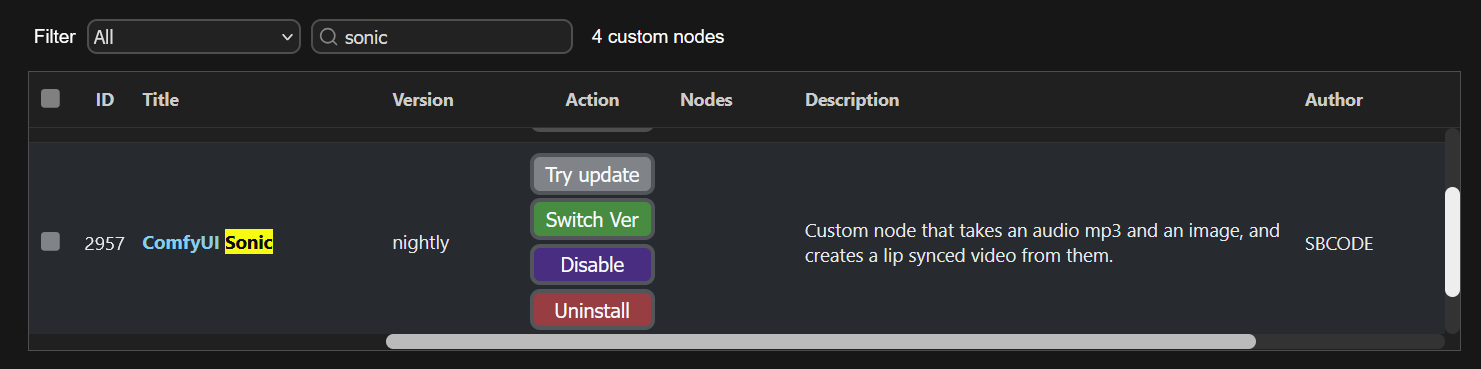
Or, you can use your command/terminal prompt.
- Navigate to your
./ComfyUI_windows_portable/ComfyUI/custom_nodesfolder. - Run,
git clone https://github.com/Sean-Bradley/ComfyUI-Sonic - Navigate to your
./ComfyUI_windows_portablefolder. - Run
python_embeded\python -m pip install -r ComfyUI/custom_nodes/comfyui-sonic/requirements.txt - Restart ComfyUI
Install Models
We need to create this folder structure and download each model into its place.
📂 ComfyUI/
├── 📂 models/
│   └── 📂 sonic/
│       ├── audio2bucket.pth
│       ├── audio2token.pth
│       ├── unet.pth
│       ├── face_yolov8m.pt
│       ├── 📂 whisper-tiny/
│       │   ├── config.json
│       │   ├── model.safetensors
│       │   └── preprocessor_config.json
│       └── 📂 RIFE/
│           └── flownet.pkl
Download each file and place into your ./ComfyUI/models/sonic/ folder
Download each file and place into your ./ComfyUI/models/sonic/whisper-tiny/ folder
Download this file and place into your ./ComfyUI/models/sonic/RIFE/ folder
Sample Workflows
[!TIP] For easier drag/drop of workflows into ComfyUI, visit https://sbcode.net/genai/lipsync-sonic/
Download this <a href="docs/example.mp3" download style="white-space: nowrap">Example Audio</a> and save into your ComfyUI/input folder.
| Initial Image | Workflow |
| ----------------------------------------------------------------- | --------------------------------------------------------------- |
| <img src="docs/sonic-1.png" style="max-height:250px"/> |  |
| <img src="docs/sonic-2.png" style="max-height:250px"/> |
|
| <img src="docs/sonic-2.png" style="max-height:250px"/> | 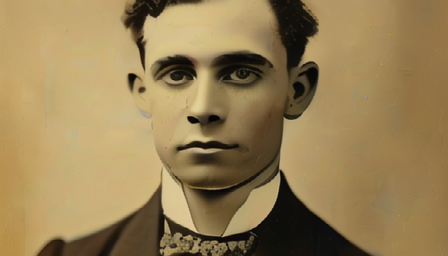 |
| <img src="docs/girl-with-freckels.png" style="max-height:250px"/> |
|
| <img src="docs/girl-with-freckels.png" style="max-height:250px"/> |  |
| <img src="docs/sonic-4.png" style="max-height:250px"/> |
|
| <img src="docs/sonic-4.png" style="max-height:250px"/> |  |
| <img src="docs/ltxv-karate.png" style="max-height:250px"/> |
|
| <img src="docs/ltxv-karate.png" style="max-height:250px"/> |  |
| <img src="docs/ComfyUI_02591_.png" style="max-height:250px"/> | <img src="docs/sonic-6-workflow.png" style="max-height:250px"/> |
| <img src="docs/ComfyUI_02372_.png" style="max-height:250px"/> | <img src="docs/sonic-7-workflow.png" style="max-height:250px"/> |
| <img src="docs/sonic-8.png" style="max-height:250px"/> | <img src="docs/sonic-8-workflow.png" style="max-height:250px"/> |
| <img src="docs/sonic-9.png" style="max-height:250px"/> | <img src="docs/sonic-9-workflow.png" style="max-height:250px"/> |
|
| <img src="docs/ComfyUI_02591_.png" style="max-height:250px"/> | <img src="docs/sonic-6-workflow.png" style="max-height:250px"/> |
| <img src="docs/ComfyUI_02372_.png" style="max-height:250px"/> | <img src="docs/sonic-7-workflow.png" style="max-height:250px"/> |
| <img src="docs/sonic-8.png" style="max-height:250px"/> | <img src="docs/sonic-8-workflow.png" style="max-height:250px"/> |
| <img src="docs/sonic-9.png" style="max-height:250px"/> | <img src="docs/sonic-9-workflow.png" style="max-height:250px"/> |
Run ComfyUI workflows without the setup
No installs, no CUDA version roulette, no GPU sitting idle on your bill. Bring a workflow and run it in the browser.