
ComfyUI Extension: ComfyUI-LoadAnim-Adv
Run ComfyUI workflows without the setup
No installs, no CUDA version roulette, no GPU sitting idle on your bill. Bring a workflow and run it in the browser.
Advanced image and video loading nodes for ComfyUI with comprehensive animation support, batch processing, and flexible frame selection capabilities.
Looking for a different extension?
Custom Nodes (11)
README
Advanced Image/Video Loading Nodes for ComfyUI
Advanced image and video loading nodes for ComfyUI with comprehensive animation support, batch processing, and flexible frame selection capabilities.
This package was created to fill in the gaps of other image/video loading nodes, especially in regards to animation support and frame selection.
Features
- Animation Support: Load animated GIFs, video files (MP4, AVI, MOV, MKV) with frame extraction
- Advanced Frame Selection: Powerful syntax for selecting specific frames using ranges, steps, and negative indexing
- Batch Processing: Load multiple files from directories with various sorting and filtering options
- Aspect Ratio Handling: Multiple methods for handling aspect ratio mismatches (crop, pad, stretch)
- Alpha Channel Support: Full transparency support with separate mask outputs
- Audio Extraction: Extract audio from video files alongside frame data
Installation
- Clone this repository into your ComfyUI custom_nodes directory:
cd ComfyUI/custom_nodes
git clone https://github.com/SineSwiper/ComfyUI-LoadAnim-Adv.git
- Restart ComfyUI
OR just make use of ComfyUI Manager's Custom Nodes Manager to download and install this node pack.
Nodes
Image Loading Nodes
Load Image/Video
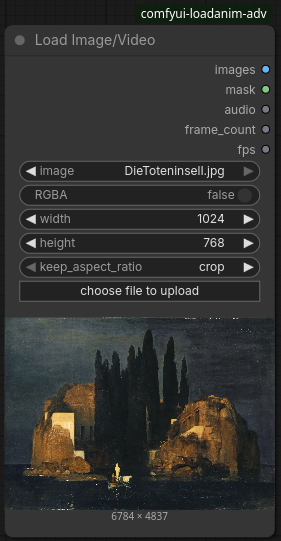
Load a single image or video file from the ComfyUI input directory with full animation support.
Inputs:
image: Image/video file from input directory (with upload support)RGBA: Include alpha channel in image output (masks still include alpha channel)width/height: Target dimensions (0 = keep original)keep_aspect_ratio: How to handle aspect ratio mismatches, if not keeping the original (crop,pad,stretch)
Outputs:
images: Image tensor (single image or animation frames)mask: Alpha channel/transparency maskaudio: Extracted audio from videosframe_count: Total number of frames loadedfps: Frames per second from metadata
Load Image/Video From Path
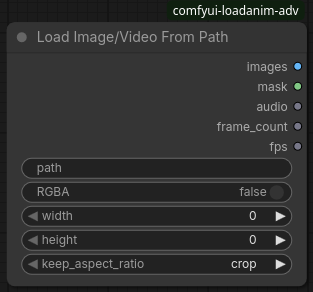
Load image or video from any filesystem path, with the same features as Load Image/Video.
Inputs:
path: Absolute or relative file path- (Others same as "Load Image/Video")
Outputs:
- (Same as "Load Image/Video")
Load Images/Videos From Directory
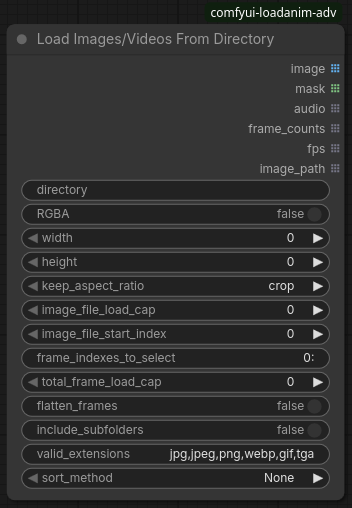
Load multiple images/videos from a directory with advanced batch processing capabilities. The
image_file_start_index can be used in an incremental batch loop to process files sequentially.
Inputs:
directory: Target directory pathRGBA/width/height/keep_aspect_ratio: Same as "Load Image/Video" nodeimage_file_load_cap: Maximum files to load (0 = no limit)image_file_start_index: Starting file indexframe_indexes_to_select: Frame selection syntax (see Frame Selection Guide)total_frame_load_cap: Maximum total frames across all filesflatten_frames: Combine all frames into single outputinclude_subfolders: Search subdirectories recursivelyvalid_extensions: Comma-separated file extensionssort_method: File sorting method
Outputs:
image: List of image tensorsmask: List of transparency masksaudio: List of extracted audioframe_counts: List of frame counts per filefps: List of FPS values per fileimage_path: List of loaded file paths
Selection and Processing Nodes
Select Indexes From Images
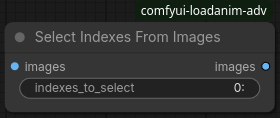
Select specific frames from image sets.
Inputs:
images: Input image tensorindexes_to_select: Frame selection syntax (see "Frame Selection" below)
Outputs:
images: Selected image frames
Select Indexes From Any
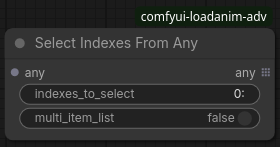
Generic selection node that works with any tensor or list type.
Inputs:
any: Object set to select from (tensor or list)indexes_to_select: Frame/index selection syntaxmulti_item_list: Process as multi-item list vs individual items
Outputs:
any: Selected subset of input data
Flatten Image List
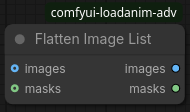
Combine multiple image sets into a single concatenated sequence.
Inputs:
images: List of image tensors to combinemasks: List of mask tensors to combine
Outputs:
images: Combined image tensor sequencemasks: Combined mask tensor sequence
Utility Nodes
Basic Dimension Variables
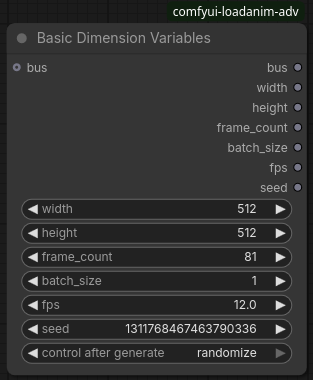
A common node for declaring basic image/video dimensions, to be propagated to other nodes. By having a single source for these values, you only have to change them once. The "BDV Router" node can be used to route these values to other sections of the workflow.
Inputs:
bus: BDV bus input, from a previous BDV node. If provided, will serve as an override for any zeroed inputs.width: Width of the image/videoheight: Height of the image/videoframe_count: Frame length of the animation/videobatch_size: Batch sizefps: Frames per secondseed: Random seed
Outputs:
- (Same as the inputs, for propagation)
BDV (Router)
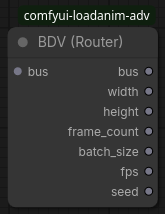
Takes a BDV bus of values and splits them up into their components, to be used in other nodes.
Inputs:
bus: BDV bus input, from a previous BDV node output
Outputs:
- (Same as the original BDV node)
List Files From Directory
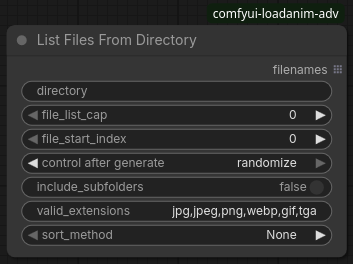
Generate file lists from directories with sorting and filtering. Useful for further index processing with batch loops.
Inputs:
- (Similar to "Load Images/Videos From Directory")
Outputs:
filenames: List of matching file paths
Aggregate Number List
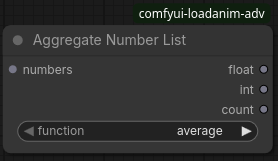
Aggregate numeric lists using various mathematical functions. For example, this can be used to average FPS values from multiple files.
Inputs:
numbers: List of numbers to aggregatefunction: Aggregation method (average,median,sum,prod,min,max,first,last)
Outputs:
float: Result as floating point numberint: Result as integercount: Count of input numbers
Flatten Any List
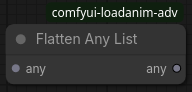
Generic list flattening for any data type.
Inputs:
any: List of objects to flatten
Outputs:
any: Flattened/concatenated result
Frame Selection
The frame selection syntax uses Python's range
function, each parameter divided by :. Parameters can be omitted, and negative indices are supported.
The first frame is index 0. Any range or item separated by commas is added to the selection.
Basic Selection
0- Select frame 0 (first frame)1,3,5- Select frames 1, 3, and 5-1- Select last frame-3,-2,-1- Select last 3 frames
Range Selection
0:5- Select frames 0 through 41:- Select from frame 1 to end:10- Select first 10 frames:-5- Select all but last 5 frames
Step Selection
::2- Every 2nd frame (0, 2, 4, 6...)1::3- Every 3rd frame starting from 1 (1, 4, 7, 10...)0:10:2- Every 2nd frame in range 0-10 (0, 2, 4, 6, 8)
Combined Selection
0,5:10,15,20:- Mix single frames and ranges0:5,10:15,::2- Complex combinations
Sorting Methods
Available sorting options for directory scanning:
- None: Original filesystem order
- Alphabetical (ASC/DESC): Standard string sorting
- Numerical (ASC/DESC): Natural number sorting (file1, file2, file10 vs file1, file10, file2)
- Datetime (ASC/DESC): Sort by file modification time
Aspect Ratio Handling
When resizing images to specific dimensions:
- crop: Center crop to exact dimensions (may lose image content)
- pad: Add padding to maintain aspect ratio (uses edge color detection)
- stretch: Stretch/squash image to fit exactly (may distort)
Run ComfyUI workflows without the setup
No installs, no CUDA version roulette, no GPU sitting idle on your bill. Bring a workflow and run it in the browser.