
ComfyUI Extension: XB_ToolBox
Run ComfyUI workflows without the setup
No installs, no CUDA version roulette, no GPU sitting idle on your bill. Bring a workflow and run it in the browser.
A comprehensive ComfyUI extension suite encompassing both front-end interaction and low-level memory scheduling, designed to help beginners master workflows and simplify local deployment.
Looking for a different extension?
Custom Nodes (0)
README
🧰 ComfyUI XB-BOX (XB_ToolBox)
🌟 Core Philosophy
The primary goal of XB_ToolBox is to help AI beginners new to ComfyUI quickly master workflows, making local deployment and execution simpler and more convenient. It is a comprehensive ComfyUI extension suite encompassing both front-end interaction and low-level memory scheduling.
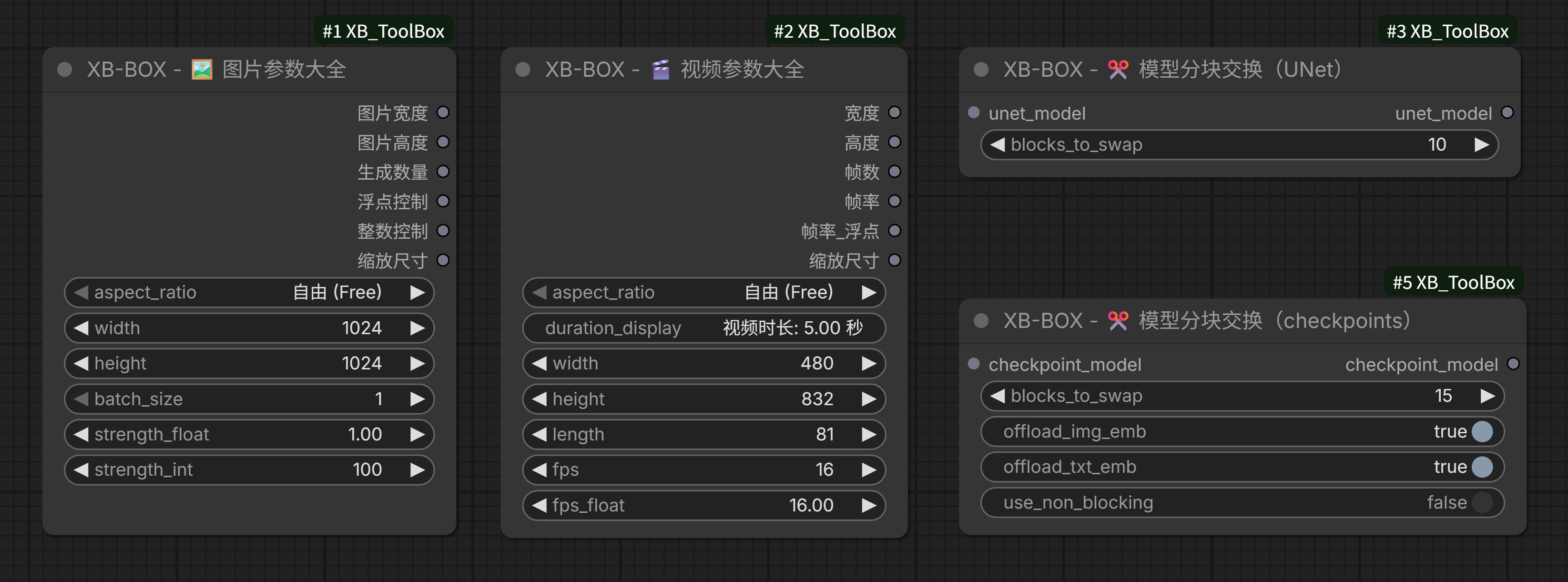
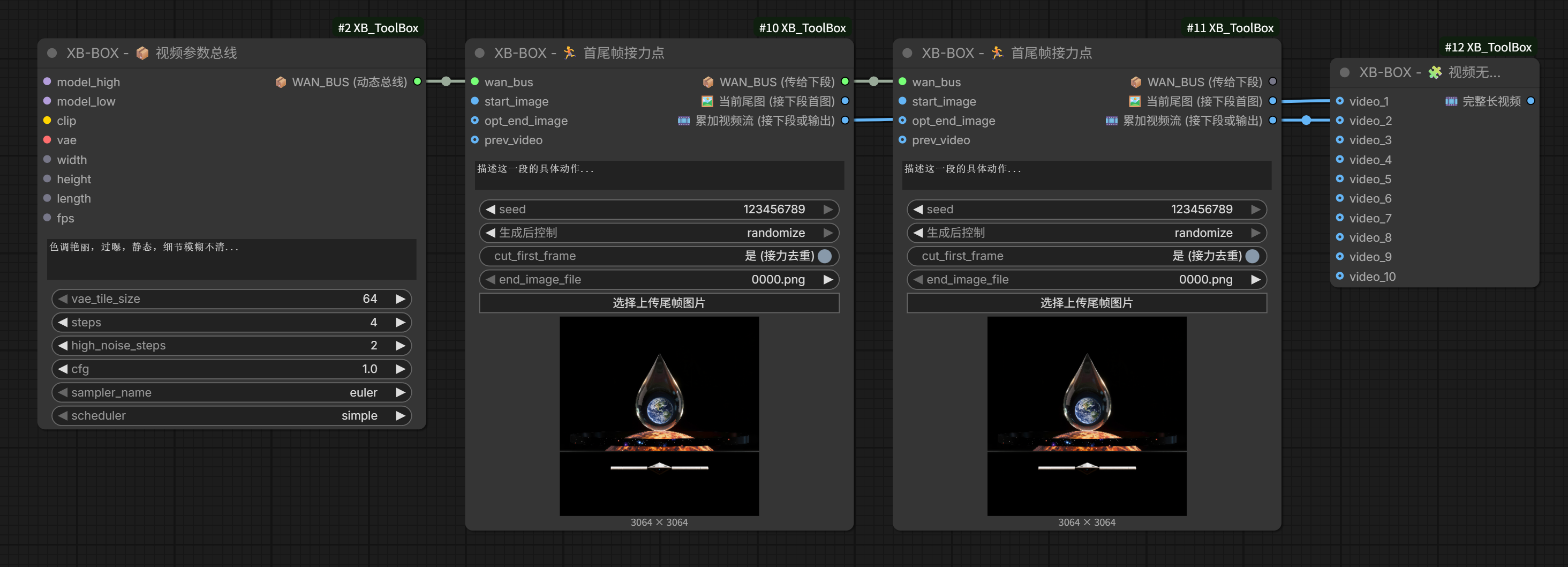
- Unified Parameters: Integrates frequently used but scattered parameter nodes, allowing you to set essential image and video parameters from a single hub.
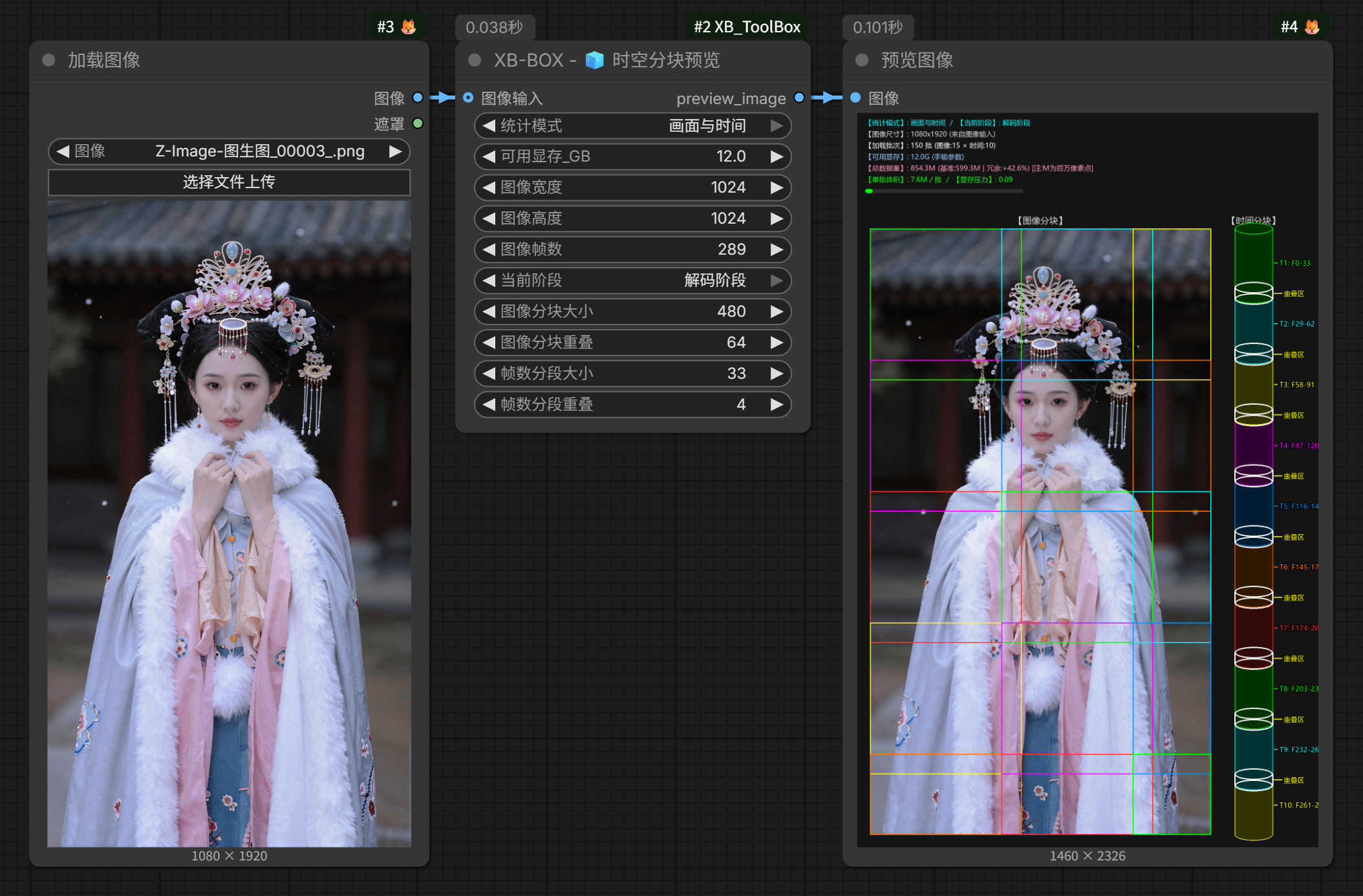
- Visual Learning: Provides visual chunking and parameter preview nodes, enabling beginners to intuitively understand the concepts of VAE/Encoder chunks, temporal slicing, and overlap effects.
- UX Enhancements: Introduces a user-friendly "Mirror Clone Console" (Dashboard) that clones major operation nodes from complex workflows into a unified, clean, and highly efficient control panel.
- Extreme VRAM Optimization: Through "Spatiotemporal Chunk Hijacking", "Dynamic VRAM Offloading for UNet/Checkpoints", and "Deep LiteGraph Customization", it allows consumer-grade GPUs to smoothly run massive 14B~22B 3D-DiT video models that would normally cause instant OOM (Out of Memory).
✨ Core Nodes
1. 🎬 Media Parameters & Spatiotemporal Visualization
- 🖼️ Image Parameters Master: Controls core image generation parameters (Width, Height, Batch Size, Strength) in one place. Enforces safe steps to prevent invalid inputs and automatically aligns dimensions when a fixed aspect ratio is selected.
- 🎬 Video Parameters Master: Manages Width, Height, Frames, and FPS (Integer/Float). Features a geek-level "Auto-Manual Transmission Engine" that smoothly snaps to official pre-trained "Golden Buckets" (e.g., 480x832, 544x960) and strictly locks the physical frame count to the safe
1+8Nrule. Dynamically displays video duration based on frame rate. - 🧊 Spatiotemporal Chunk Visualization: An exclusive dual-zone radar! The 2D left panel visualizes spatial image chunks and overlap values, while the 3D right panel uses a painter's algorithm to render temporal cylinder stacks. Saves beginners from the exhaustion of blind parameter tuning.
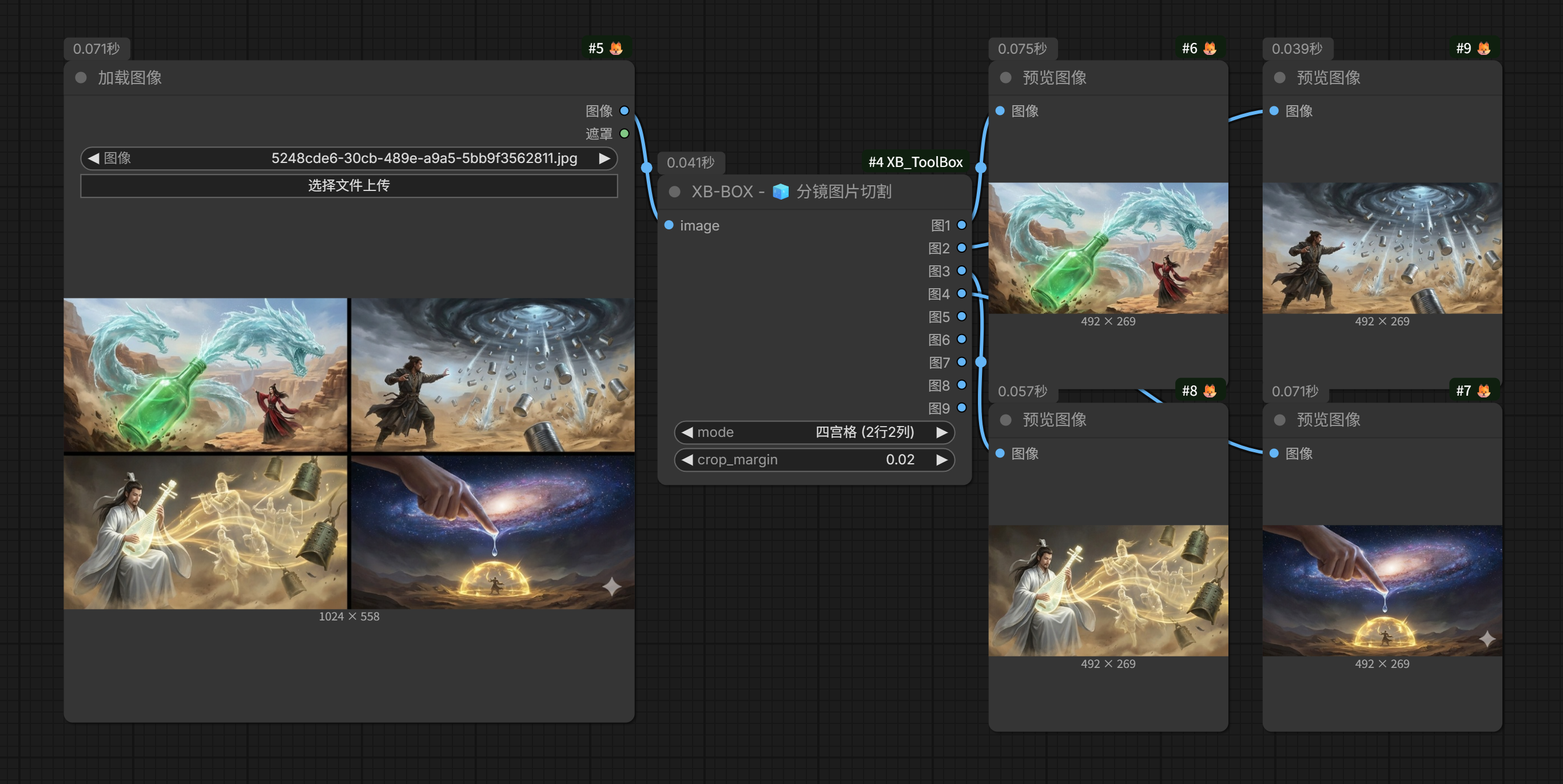
- 🧊 Storyboard Image Slicer: Offers multiple modes to slice common 4-grid, 6-grid, 9-grid... images all at once and output multiple individual images. This makes image-to-video or start/end frame video generation much more convenient, and is highly effective for creating short dramas.
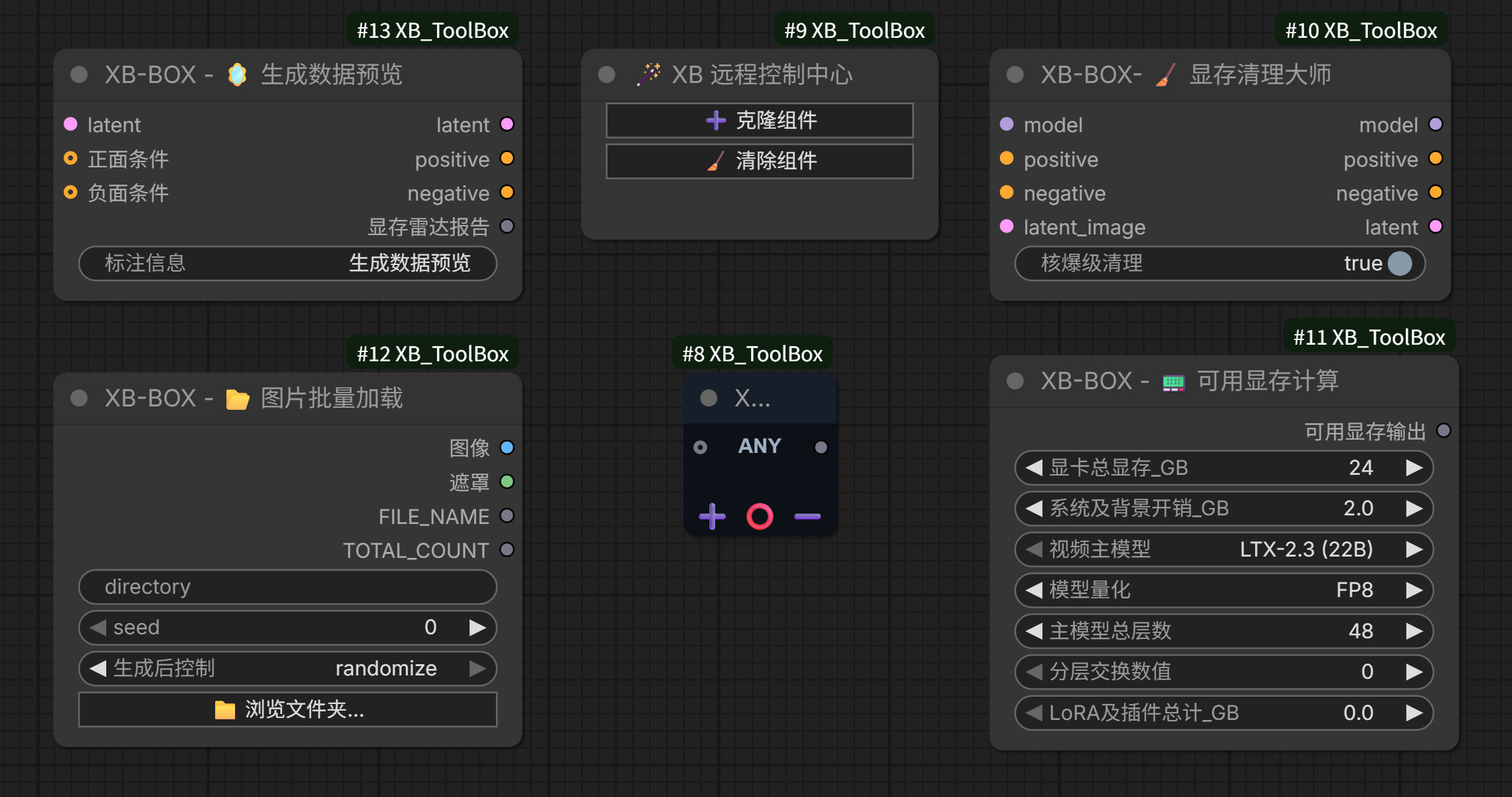
- 📟 VRAM Calculator & Data Radar: Predicts VRAM footprint for WAN/LTX models under different quantizations (FP8/GGUF) and weighs tensor volumes with MB-level precision. Significantly reduces trial-and-error costs by helping users choose models fitting their VRAM capacity.
2. 🧊 VRAM Optimization
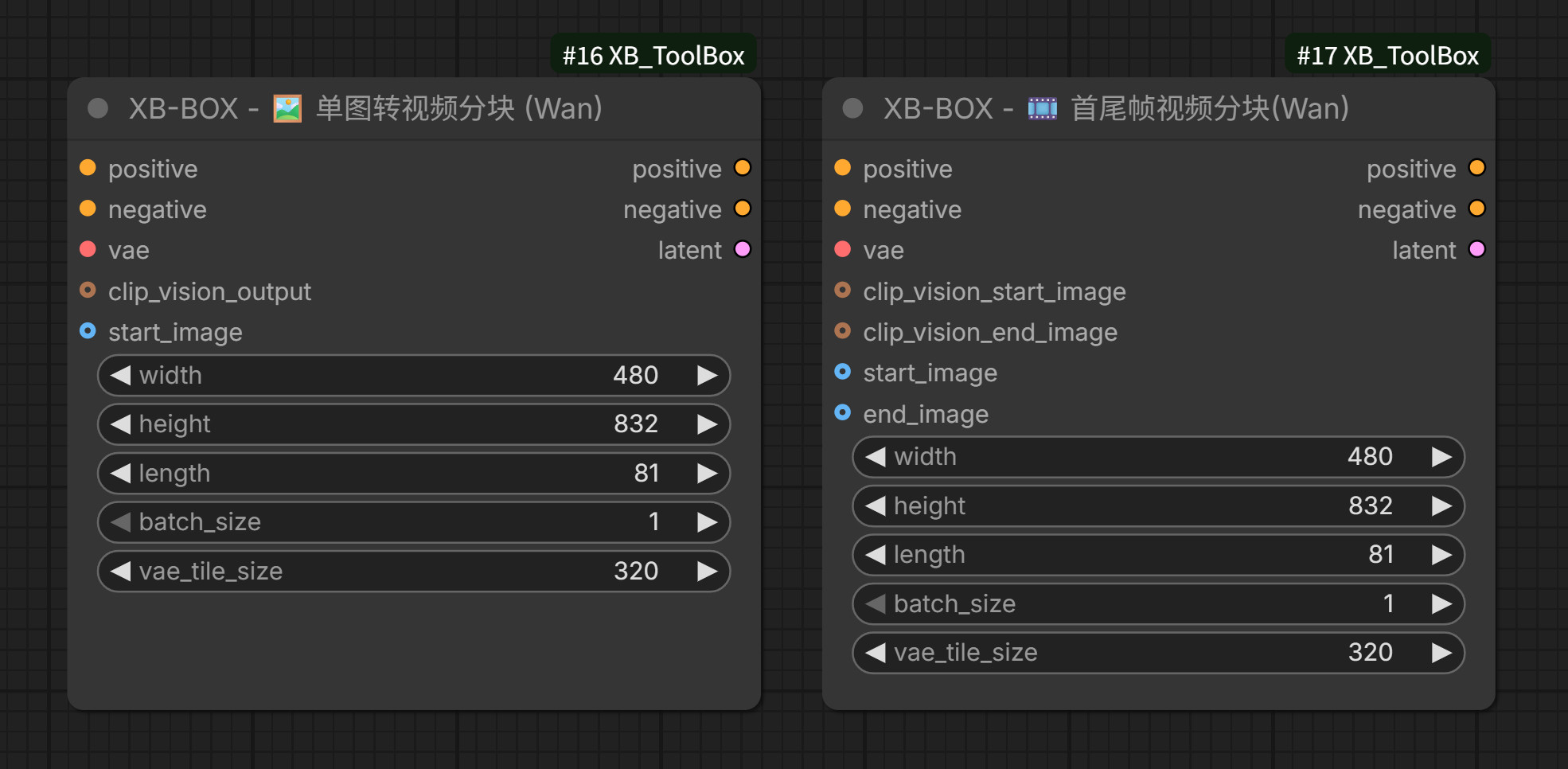
- 🧊 Sampler Chunk Master: Tailored for WAN/LTX. Performs spatiotemporal dual-axis slicing (Spatial Tiles & Temporal Chunks) in the Latent space. Hijacks model parameters in-place with an built-in
rocm_optimizedextreme memory reclamation strategy, breaking the large-tensor OOM curse. - ✂️ Model Block Swap: Supports both UNet and Checkpoint modes. Forcibly unloads the first N Transformer Blocks and Text/Image embedding layers to system RAM, trading time for space.
- 🧹 VRAM Cleaner: Essential for pre-generation clearing. Delivers "nuclear-level cleanup" by deeply invoking
gc.collect()andtorch.cuda.empty_cache()to crush PyTorch cache fragmentation.
3. 🎛️ Workflow Deployment Assistants
- 🪄 XB Dashboard Zen: A "Mirror Clone Console" developed using low-level LiteGraph features. Batch-clones any scattered components in your workflow into a fixed panel. Features two-way data synchronization and direct arterial connections to create a clean, customized monitoring dashboard.
- 🎛️ Dynamic Bus: An ultra-compact N-in/N-out
AnyTypeuniversal bus node. Provides custom UI type labels and one-click channel addition/removal to save your workflow from "noodle wire" chaos.
📦 Installation
Method 1: ComfyUI Manager (Recommended)
Search for XB_ToolBox in the ComfyUI Manager and click install.
Method 2: Manual Git Clone
Navigate to your ComfyUI custom_nodes directory and run:
git clone https://github.com/wjluoxiao/XB_ToolBox.git
(Note: This extension relies purely on the native ComfyUI ecosystem through elegant Python/JS architecture. NO extra pip dependencies required! Plug and play.)
📝 License This project is open-sourced under the Apache-2.0 License. It guarantees the freedom to share while protecting the patent defense rights of the core architecture code.
Run ComfyUI workflows without the setup
No installs, no CUDA version roulette, no GPU sitting idle on your bill. Bring a workflow and run it in the browser.