
ComfyUI Extension: ComfyUI-Flowty-CRM
Run ComfyUI workflows without the setup
No installs, no CUDA version roulette, no GPU sitting idle on your bill. Bring a workflow and run it in the browser.
This is a custom node that lets you use Convolutional Reconstruction Models right from ComfyUI. a/CRM is a high-fidelity feed-forward single image-to-3D generative model.
Looking for a different extension?
Custom Nodes (8)
README
ComfyUI-Flowty-CRM
This is a custom node that lets you use Convolutional Reconstruction Models right from ComfyUI.
CRM is a high-fidelity feed-forward single image-to-3D generative model.
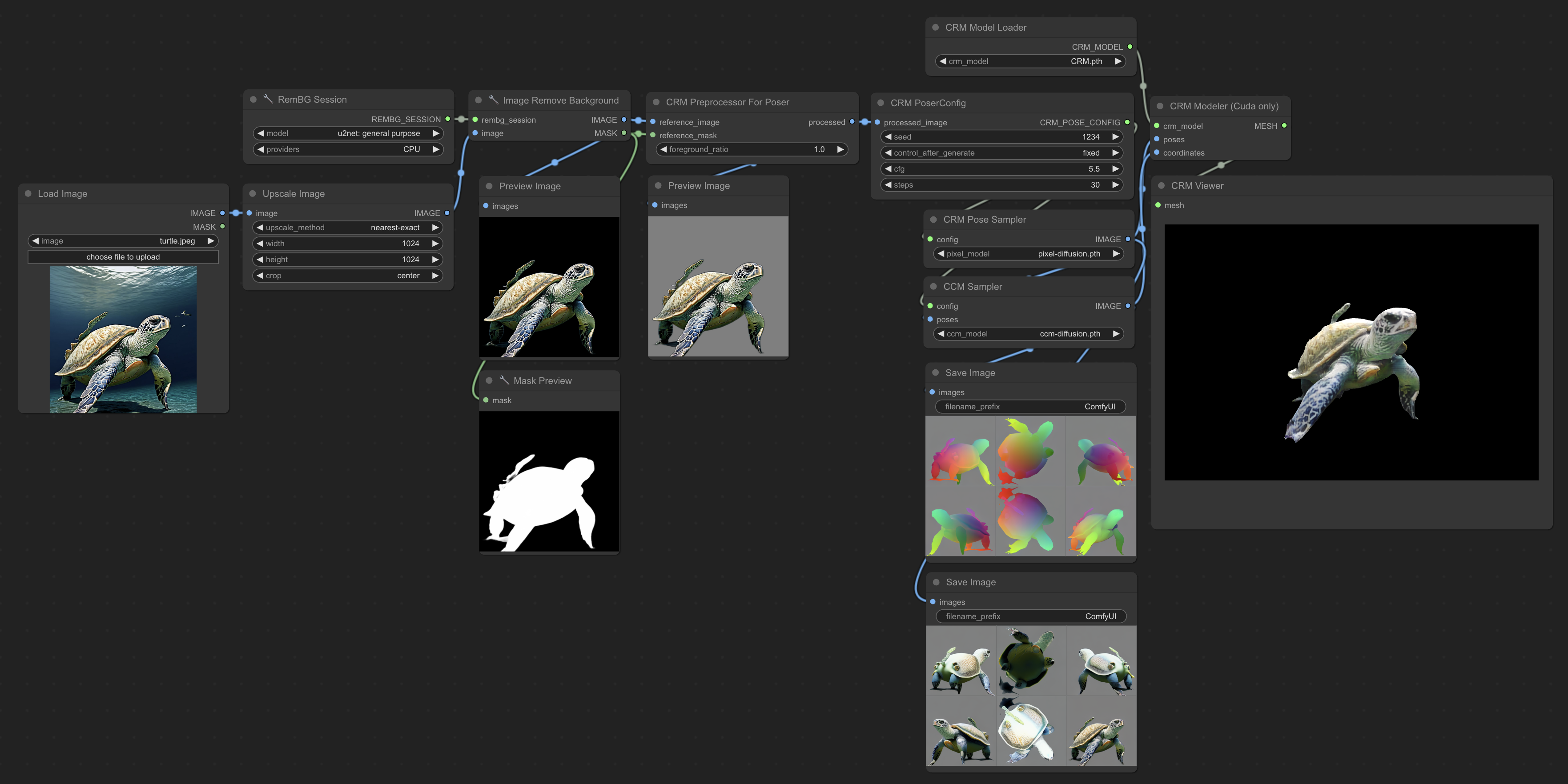
This node has been adapted from the official implementation with many improvements that make it easier to use and production ready:
- Added support for cpu generation (initially could only run on cuda)
- xformers is no longer required
- separation of the inference pipeline into 3 parts, which enables it to run on low vram gpus and gives users freedom to alter the inputs at any step
- automatic input image processing
- high speed and high quality outputs with materials in glb and obj formats
- closely integrated with comfyui's internal attention code
- cleaner code, with less dependencies and less memory usage
Installation:
- Install ComfyUI
- Clone this repo into
custom_nodes:$ cd ComfyUI/custom_nodes $ git clone https://github.com/flowtyone/ComfyUI-Flowty-CRM.git - Install dependencies:
if using cuda, install cuda dependencies too:$ cd ComfyUI-Flowty-CRM $ pip install -r requirements.txt$ pip install -r requirements-cuda.txt - Download CRM models and place them in
ComfyUI/models/checkpoints - Start ComfyUI (or restart)
- Use the example workflow (cpu | cuda)
- Note: To run the example workflows you will also need to install ComfyUI_essentials
Acknowledgement:
- Researchers of CRM: Zhengyi Wang, Yikai Wang, Yifei Chen, Chendong Xiang, Shuo Chen, Dajiang Yu, Chongxuan Li, Hang Su, Jun Zhu
- three.js comfyui interface: MrForExample
- snr depth reconstruction: Imagedream
This is a community project from flowt.ai. If you like it, check us out!
<picture> <source media="(prefers-color-scheme: dark)" srcset="logo-dark.svg" height="50"> <source media="(prefers-color-scheme: light)" srcset="logo.svg" height="50"> <img alt="flowt.ai logo" src="flowt.png" height="50"> </picture>Troubleshooting
- NVdiffrast
- Windows users with cuda(nvidia) gpus might need some special preparations to make the
nvdiffrastmodule work. Please check the official documentation of nvdiffrast for windows installation instructions. CUDA_HOME environment variable is not set- you will need to set an environment variable that points to your cuda installation path. See this stackoverflow answer.- If you're experiencing too many issues trying to install NVdiffrast, consider using the cpu workflow by restarting comfyui with the
cpu-onlyoption (much slower).
- Windows users with cuda(nvidia) gpus might need some special preparations to make the
Expected all tensors to be on the same device, but found at least two devices, cuda:0 and cpu!- This usually happens if you tried to run the cpu workflow but have a cuda gpu. Try to restart comfyui and run only the cuda workflow.
- Portable ComfyUI
- Users might need to install the dependencies differently, see here.
- Not enough VRAM/RAM
- Using these nodes you should be able to run CRM on GPUs with 8GB of VRAM and above, and at least 16GB of RAM.
- For GPUs with less than 16GB of VRAM, you might need to split the workflow into 4 parts and run them separately. I've added workflows here for demonstration.
Run ComfyUI workflows without the setup
No installs, no CUDA version roulette, no GPU sitting idle on your bill. Bring a workflow and run it in the browser.