
ComfyUI Extension: ComfyUI-InstantMesh
Run ComfyUI workflows without the setup
No installs, no CUDA version roulette, no GPU sitting idle on your bill. Bring a workflow and run it in the browser.
ComfyUI InstantMesh is custom nodes that running InstantMesh into ComfyUI
README
(This repo is archived due to ComfyUI-3D-Pack supports InstantMesh, please check 3D-Pack directly if you need it)
ComfyUI InstantMesh
ComfyUI InstantMesh is custom nodes that running TencentARC/InstantMesh into ComfyUI
Installation
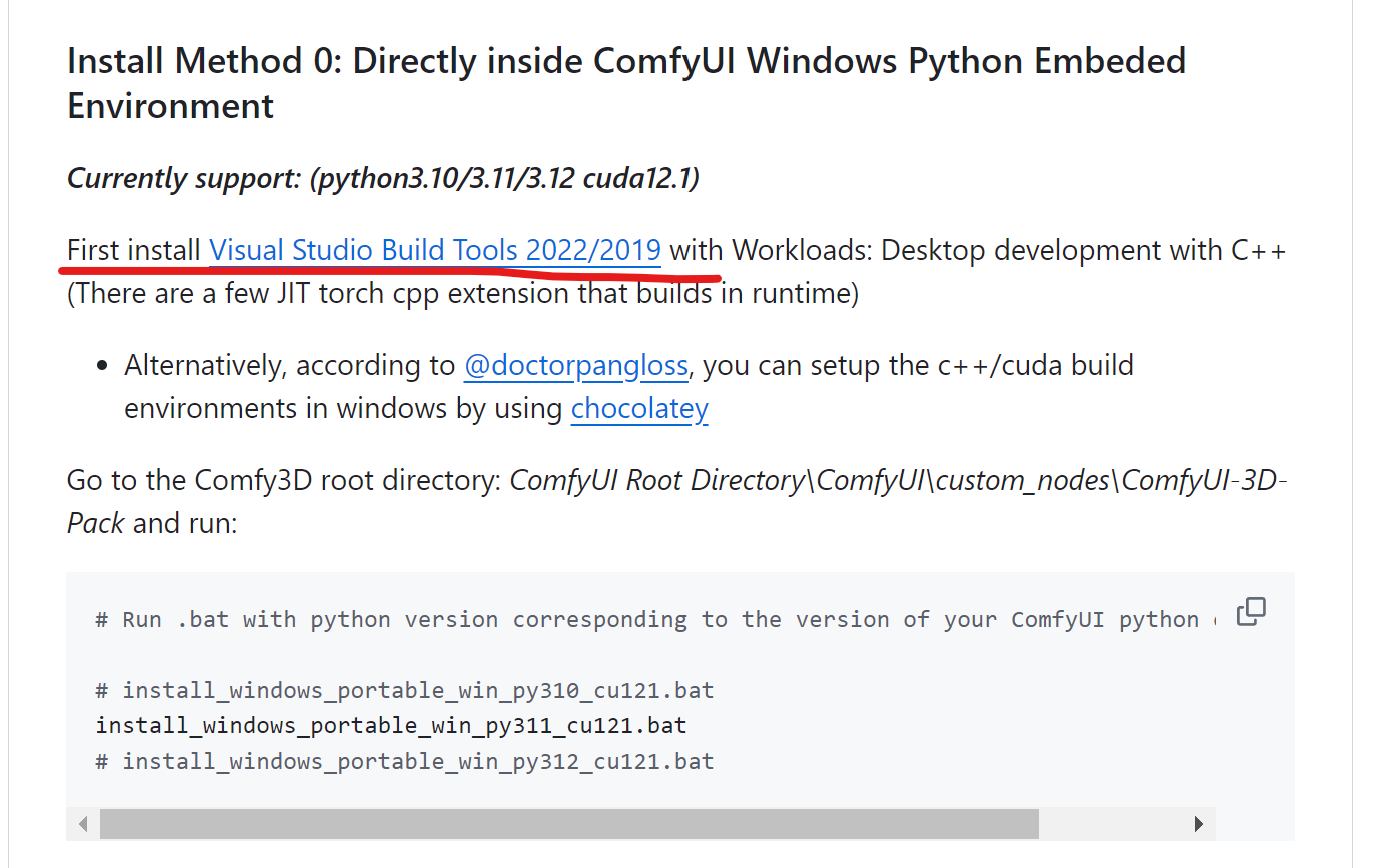
Make sure you also install Visual Studio Build Tools.
 This extension depends on ComfyUI-3D-Pack, please install it if not, and make sure it works well:
- stop ComfyUI if it is running
- goto
ComfyUI/custom_nodesdir in terminal(cmd) git clone https://github.com/MrForExample/ComfyUI-3D-Pack- cd
ComfyUI-3D-Pack - run
install_windows_portable_win_py311_cu121.bat
(Don't start ComfyUI at this moment)
Then, install this extension:
git clone https://github.com/jtydhr88/ComfyUI-InstantMesh- cd
ComfyUI-InstantMesh - run
install_windows_portable_win_py311_cu121.bat
Start your ComfyUI.
How to use
Currently, this extension implements two custom nodes, InstantMeshLoader and InstantMeshRun
Regarding InstantMeshLoader, there are four configurations for checkpoints, please refer to TencentARC/InstantMesh for more details.
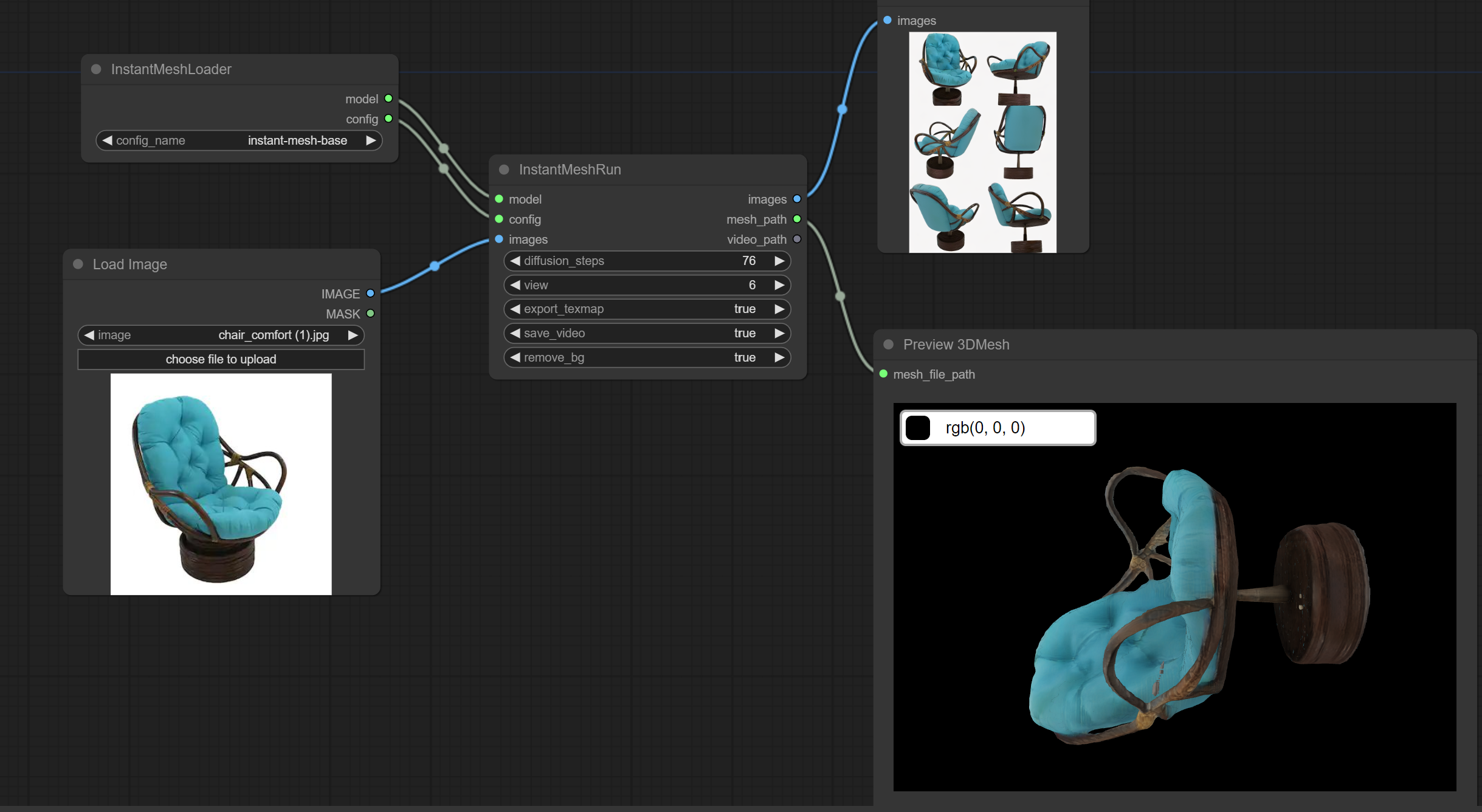
A simple workflow looks like:
And you can find it at simple-workflow
After generated, you could find results, mesh or texture, under ComfyUI/custom_nodes/ComfyUI-InstantMesh/output folder.
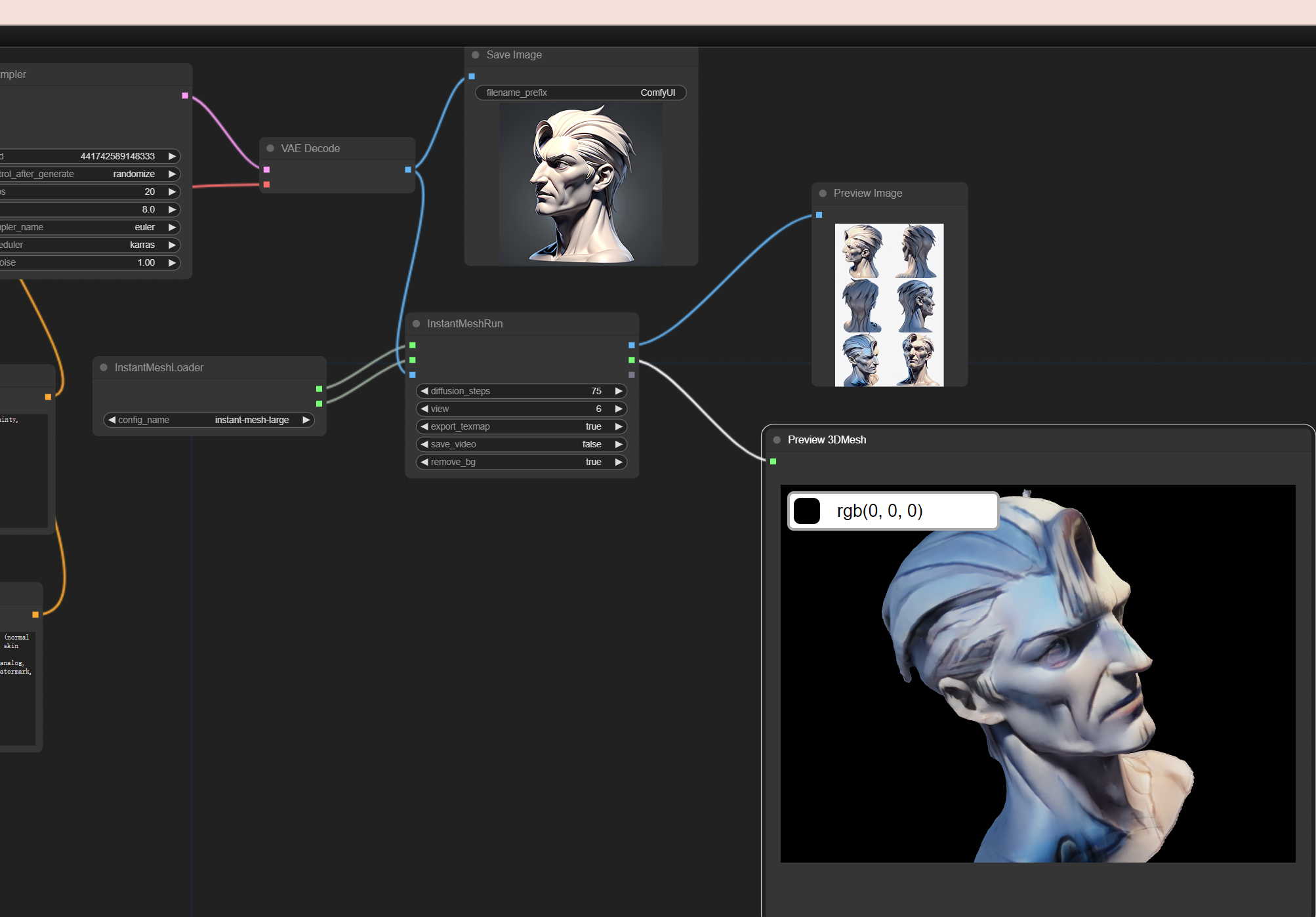
Another workflow I provided - example-workflow, generate 3D mesh from ComfyUI generated image, it requires:
- Main checkpoint - ReV Animated
- Lora - Clay Render Style
It will generate gypsum style 3D model:
Credit
- TencentARC/InstantMesh - Efficient 3D Mesh Generation from a Single Image with Sparse-view Large Reconstruction Models
- ComfyUI - A powerful and modular stable diffusion GUI.
- ComfyUI-3D-Pack - An extensive node suite that enables ComfyUI to process 3D inputs (Mesh & UV Texture, etc) using cutting edge algorithms (3DGS, NeRF, etc.)
My extensions for ComfyUI
- ComfyUI-LayerDivider - ComfyUI InstantMesh is custom nodes that generating layered psd files inside ComfyUI
- ComfyUI-InstantMesh - ComfyUI InstantMesh is custom nodes that running InstantMesh into ComfyUI
- ComfyUI-ImageMagick - This extension implements custom nodes that integreated ImageMagick into ComfyUI
- ComfyUI-Workflow-Encrypt - Encrypt your comfyui workflow with key
My extensions for stable diffusion webui
- 3D Model/pose loader A custom extension for AUTOMATIC1111/stable-diffusion-webui that allows you to load your local 3D model/animation inside webui, or edit pose as well, then send screenshot to txt2img or img2img as your ControlNet's reference image.
- Canvas Editor A custom extension for AUTOMATIC1111/stable-diffusion-webui that integrated a full capability canvas editor which you can use layer, text, image, elements and so on, then send to ControlNet, basing on Polotno.
- StableStudio Adapter A custom extension for AUTOMATIC1111/stable-diffusion-webui to extend rest APIs to do some local operations, using in StableStudio.
- Txt/Img to 3D Model A custom extension for sd-webui that allow you to generate 3D model from txt or image, basing on OpenAI Shap-E.
- 3D Editor A custom extension for sd-webui that with 3D modeling features (add/edit basic elements, load your custom model, modify scene and so on), then send screenshot to txt2img or img2img as your ControlNet's reference image, basing on ThreeJS editor.
Run ComfyUI workflows without the setup
No installs, no CUDA version roulette, no GPU sitting idle on your bill. Bring a workflow and run it in the browser.