
ComfyUI Extension: ComfyUI-PixelForge
Run ComfyUI workflows without the setup
No installs, no CUDA version roulette, no GPU sitting idle on your bill. Bring a workflow and run it in the browser.
Dynamic resolution selector and advanced resize nodes with real-time feedback.
Looking for a different extension?
Custom Nodes (2)
README
PixelForge · Custom Nodes for ComfyUI
A ComfyUI custom node for selecting mathematically valid image resolutions.
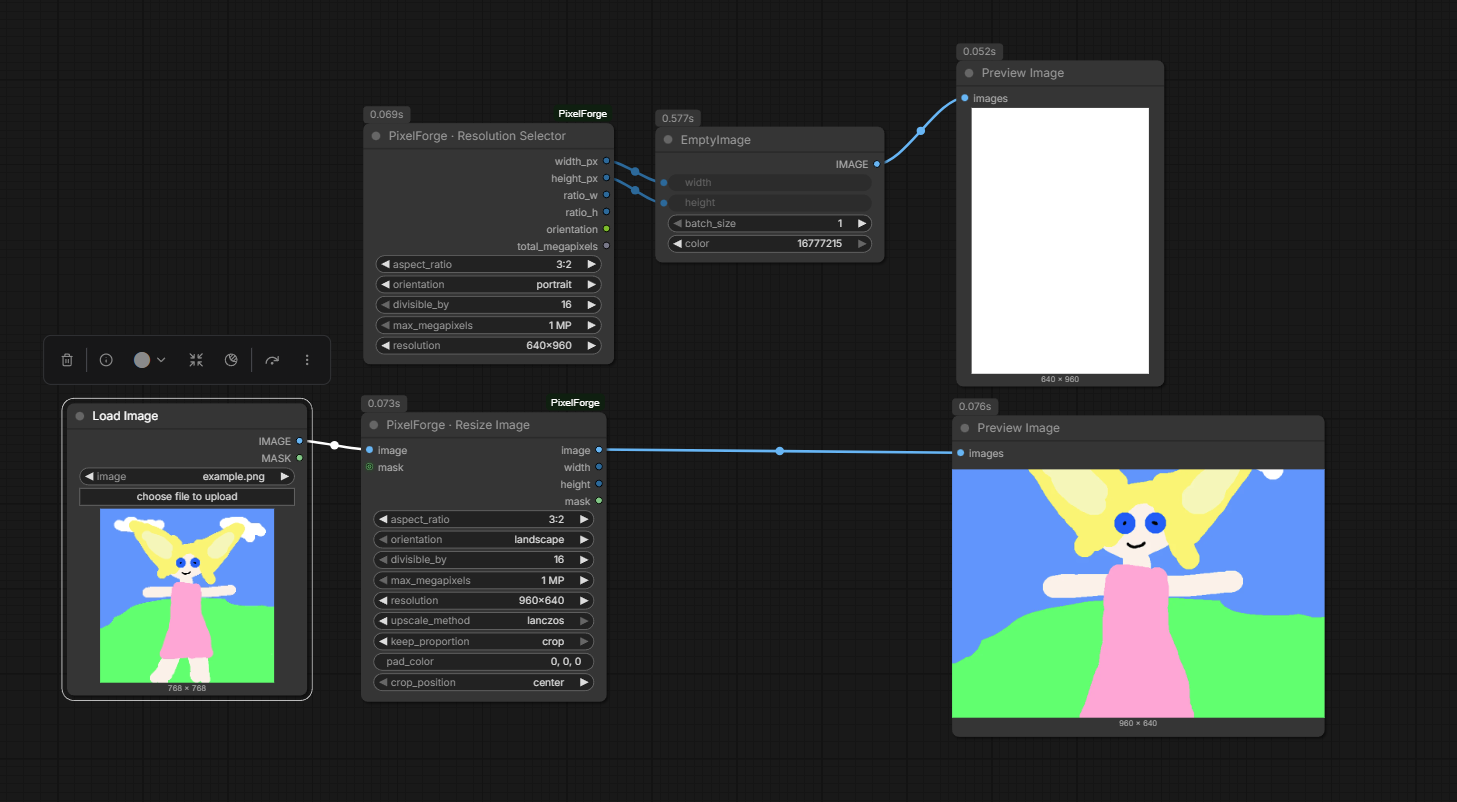
Features
PixelForge · Resolution Selector
- Aspect ratio selection (1:1, 3:2, 4:3, 16:9, 16:10)
- Orientation switch (landscape / portrait / square)
- Divisibility constraints (16 / 32 / 64)
- Max megapixel limit
- 1 MP = 1024 × 1024 = 1,048,576 pixels
- Outputs:
- Width (px)
- Height (px)
- Aspect ratio (W/H)
- Orientation
- Total megapixels (float)
PixelForge · Resize Image
- Advanced image resizing with multiple upscale methods
- Keep proportion modes:
- stretch: Stretch to exact dimensions
- resize: Maintain aspect ratio, fit within dimensions
- pad: Resize and add padding to reach exact dimensions
- pad_edge: Pad using edge pixel extension
- crop: Crop to exact aspect ratio then resize
- Customizable pad color (RGB)
- Crop/pad positioning (center, top, bottom, left, right)
- Divisible by constraint for VAE/model compatibility
- Optional mask input/output support
Installation
Copy the folder into:
ComfyUI/custom_nodes/
Restart ComfyUI.
Category
PixelForge
License
MIT
Run ComfyUI workflows without the setup
No installs, no CUDA version roulette, no GPU sitting idle on your bill. Bring a workflow and run it in the browser.