
ComfyUI Extension: ComfyUI Stable Video Diffusion
Run ComfyUI workflows without the setup
No installs, no CUDA version roulette, no GPU sitting idle on your bill. Bring a workflow and run it in the browser.
Easily use Stable Video Diffusion inside ComfyUI!
Looking for a different extension?
Custom Nodes (4)
README
ComfyUI Stable Video Diffusion
Easily use Stable Video Diffusion inside ComfyUI!
Need help? <a href="https://discord.gg/hwwbNRAq6E">Join our Discord!</a>
1. Installation
Option 1: Install via ComfyUI Manager
Open ComfyUI Manager and install the ComfyUI Stable Video Diffusion (author: thecooltechguy) custom node.
Option 2: Install manually
cd ComfyUI/custom_nodes/
git clone https://github.com/thecooltechguy/ComfyUI-Stable-Video-Diffusion
cd ComfyUI-Stable-Video-Diffusion/
python install.py
2. Download models into ComfyUI/models/svd/
- svd.safetensors - Download
- svd_image_decoder.safetensors - Download
- svd_xt.safetensors - Download
- svd_xt_image_decoder.safetensors - Download
Node types
- SVDModelLoader
- Loads the Stable Video Diffusion model
- SVDSampler
- Runs the sampling process for an input image, using the model, and outputs a latent
- SVDDecoder
- Decodes the sampled latent into a series of image frames
- SVDSimpleImg2Vid
- Combines the above 3 nodes above into a single node
Example workflows
Image to video
https://comfyworkflows.com/workflows/5a4cd9fd-9685-4985-adb8-7be84e8636ad
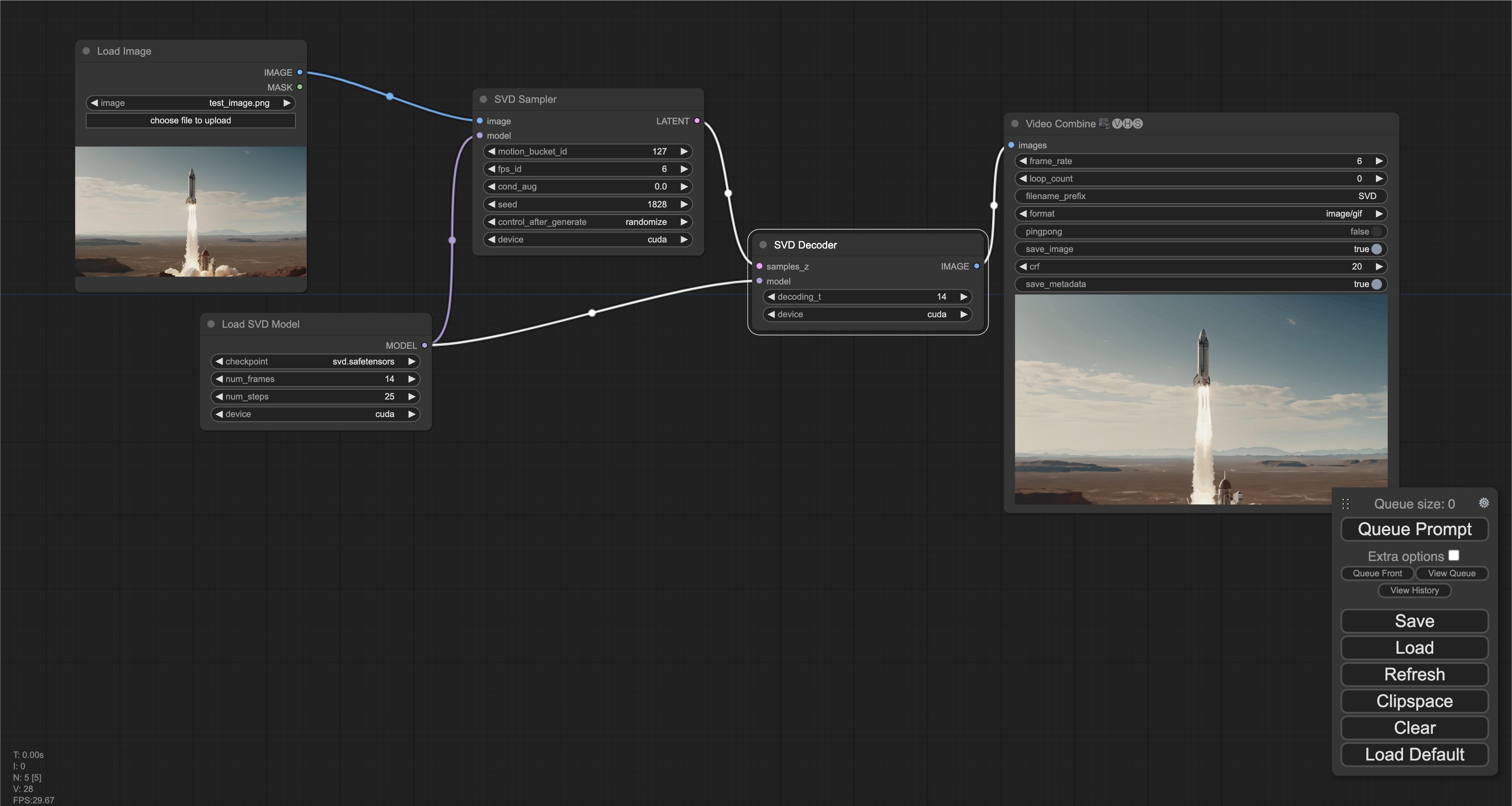

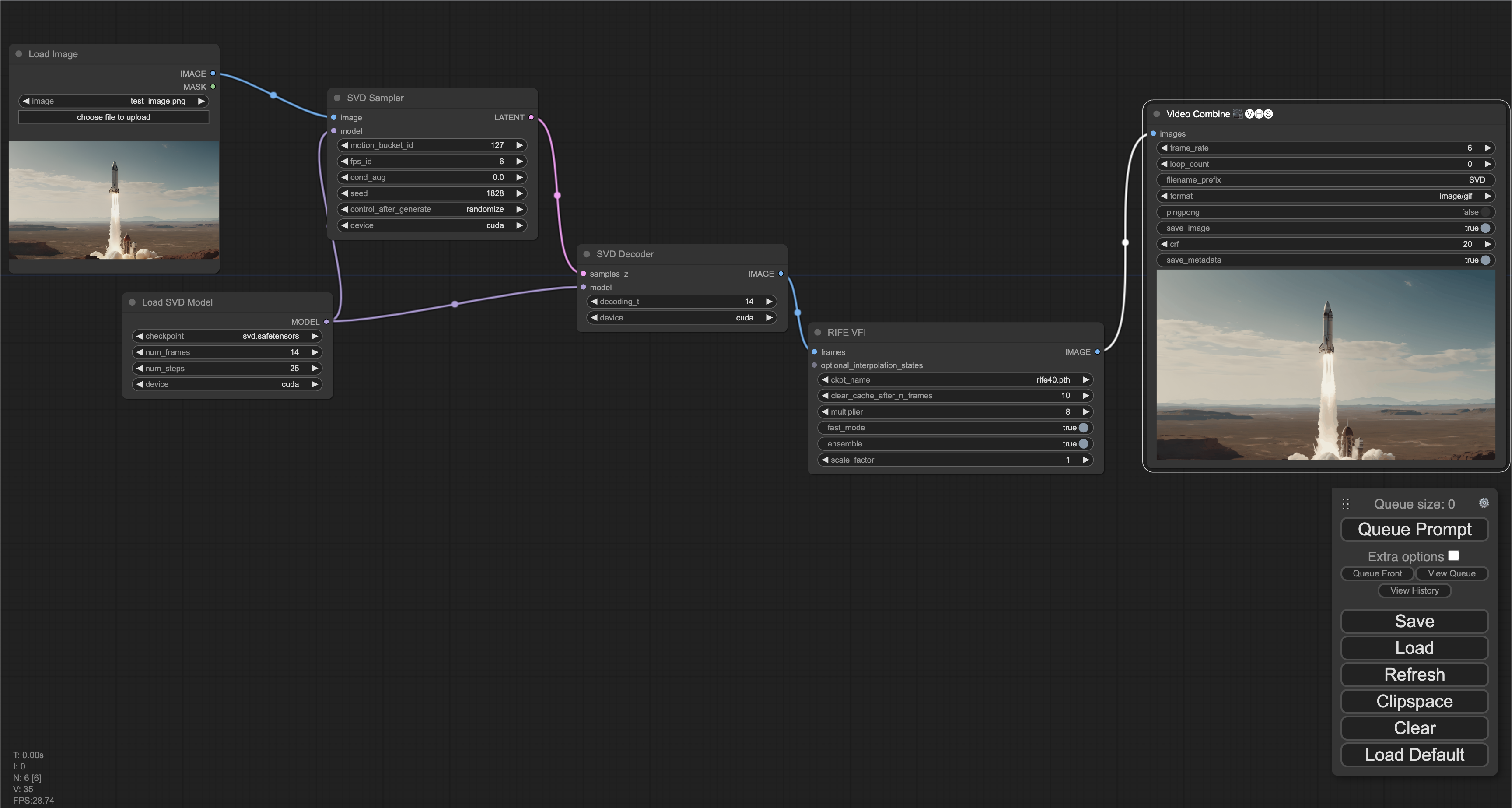
Image to video generation (high FPS w/ frame interpolation)
https://comfyworkflows.com/workflows/bf3b455d-ba13-4063-9ab7-ff1de0c9fa75

Run ComfyUI workflows without the setup
No installs, no CUDA version roulette, no GPU sitting idle on your bill. Bring a workflow and run it in the browser.