
ComfyUI Extension: comfyui-image-expand-nodes
Run ComfyUI workflows without the setup
No installs, no CUDA version roulette, no GPU sitting idle on your bill. Bring a workflow and run it in the browser.
Custom nodes for ComfyUI to expand images with noise for outpainting or inpainting purposes. This allows for seamless image extension in any direction.
Looking for a different extension?
Custom Nodes (3)
README
ComfyUI Image Expand Nodes
Custom nodes for ComfyUI to expand images with noise for outpainting or inpainting purposes. This allows for seamless image extension in any direction.
Basic Expansion
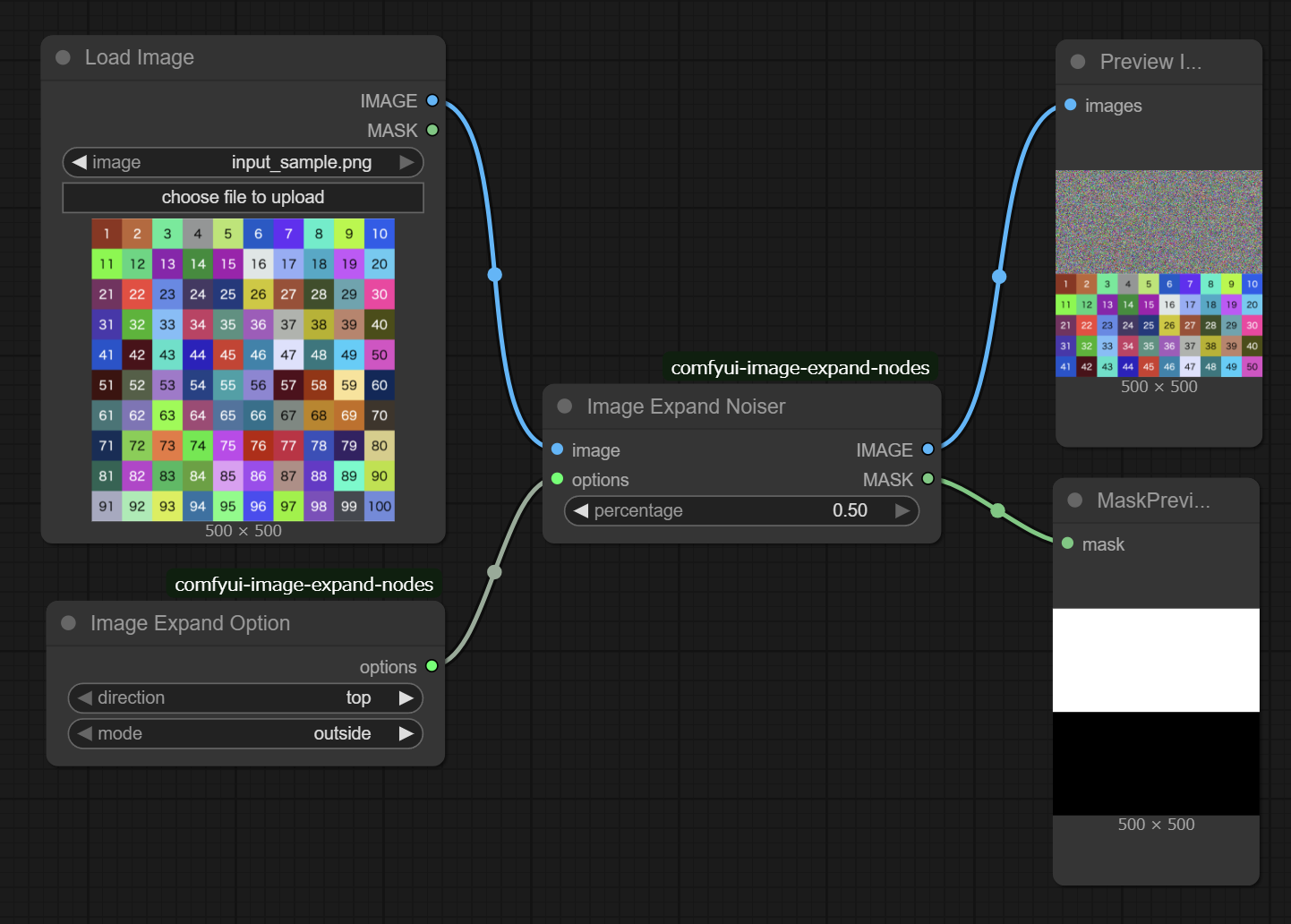
Expansion with Mask
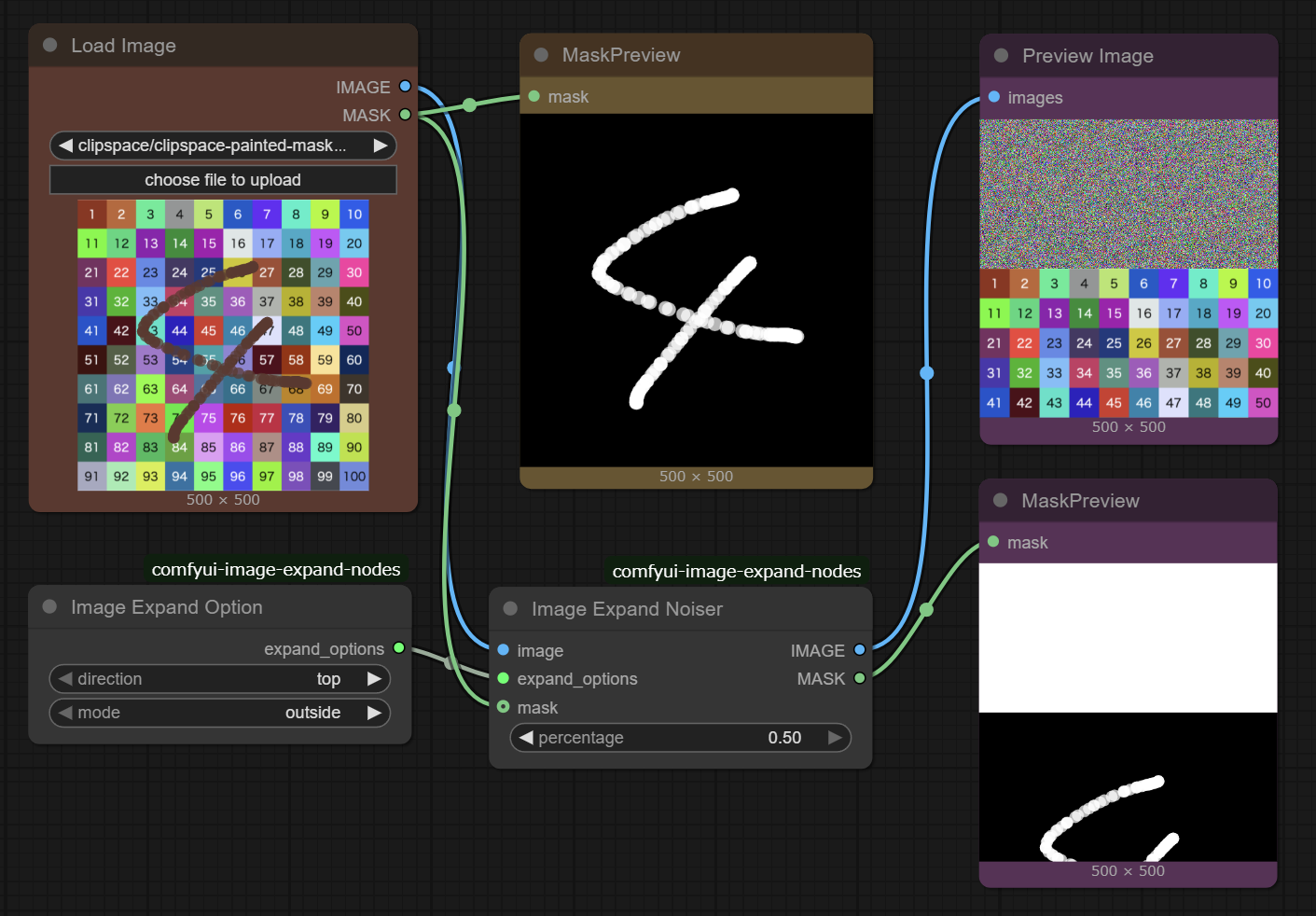
Seamless Merging
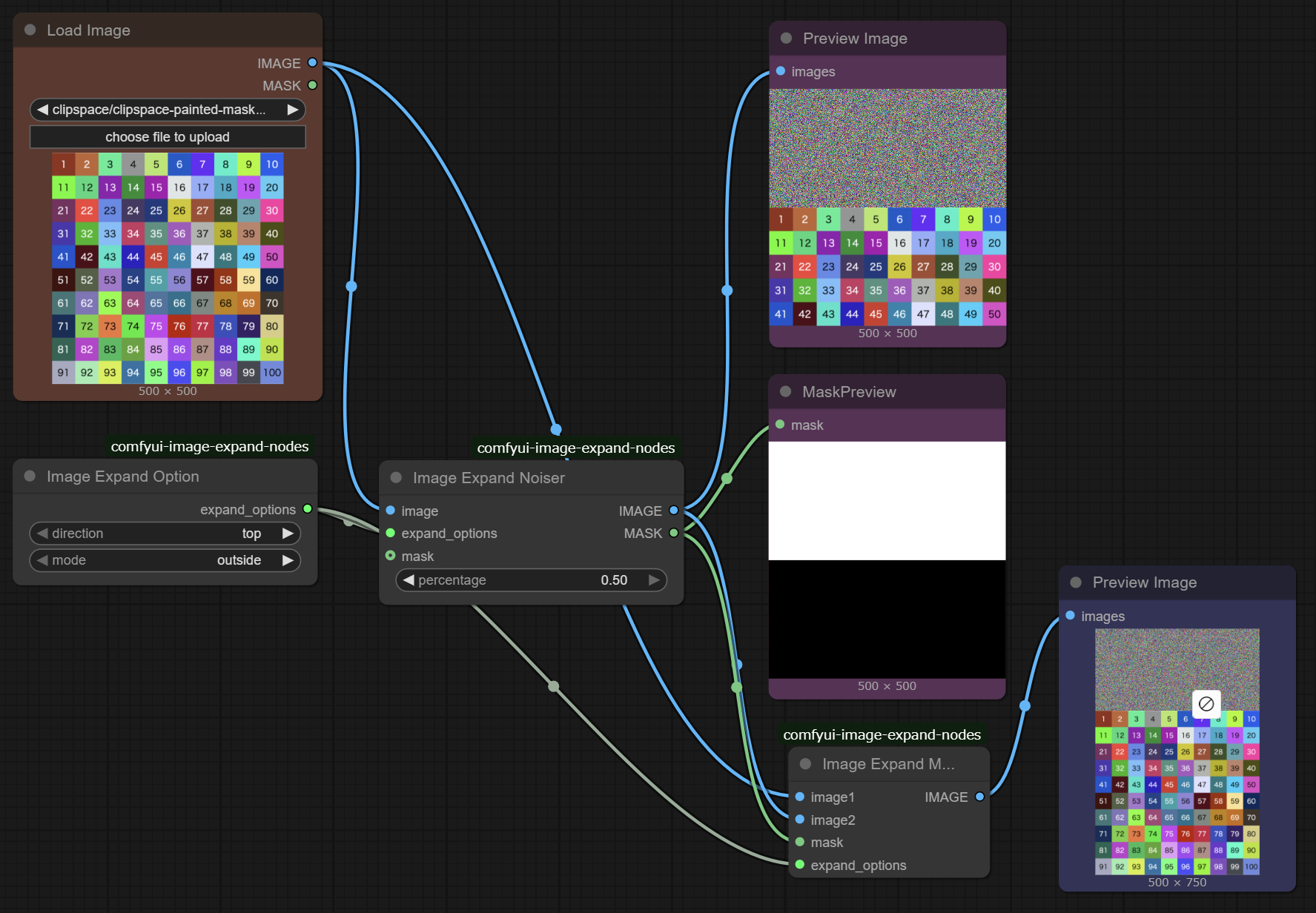
Features
- Expand Image: Add noise to any side of an image (top, bottom, left, right) to prepare for outpainting.
- Inside/Outside Modes: Choose between expanding the canvas (
outside) or overwriting existing content (inside). - Merge: Seamlessly stitch the original image with the newly generated content.
Nodes
1. Image Expand Option
A configuration node to define the expansion strategy.
- direction: Choose the direction to expand (
top,bottom,left,right). - mode:
outside: Increases the image canvas size.inside: Maintains image size but overlays noise on the specified area.
2. Image Expand Noiser
Prepares the image for the generation process.
- Inputs:
image: Source image.options: Configuration fromImage Expand Option.percentage: The ratio of expansion relative to the image size (default: 0.2).mask: (Optional) Mask to merge.
- Outputs:
IMAGE: Image with noise added to the target area.MASK: Mask corresponding to the noisy area (useful for inpainting).
3. Image Expand Merger
Merges the original image with the generated result.
- Inputs:
image1: The original source image.image2: The generated image (output from KSampler/VAE Decode).mask: The mask used for generation.options: Configuration fromImage Expand Option.
- Outputs:
IMAGE: The final combined image.
Installation
- Navigate to your ComfyUI
custom_nodesdirectory. - Clone this repository:
git clone https://github.com/tuki0918/comfyui-image-expand-nodes.git - Restart ComfyUI.
Related Tools
- Expand Image with Noise and Crop + Mask
- Automatically detect and merge overlapping regions of two images
Run ComfyUI workflows without the setup
No installs, no CUDA version roulette, no GPU sitting idle on your bill. Bring a workflow and run it in the browser.